AI Agents Don’t Fail, Prompts Do: Design, Pitfalls & Best Practices

Introduction
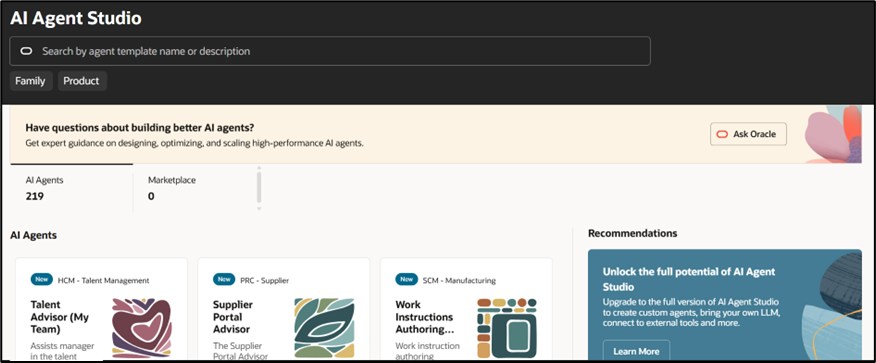
With the growing adoption of AI Agent Studio in Oracle Fusion HCM, many organizations are focusing on building AI agents to improve user support. However, one of the most common reasons for poor agent performance is not the tool itself—but how prompts are designed.
Prompt engineering plays a critical role in defining how the agent behaves, what it understands, and how it responds. Designing effective prompts in AI Agent Studio is not always straightforward.
In this blog, I will combine practical experience with key concepts from Oracle’s AI Agent Studio framework to explain what effective prompt design looks like and how to avoid common mistakes.
Section 1: Key Concept
In AI Agent Studio, prompts are not just instructions—they define the identity, behaviour, and boundaries of the agent.
What is a System Prompt?
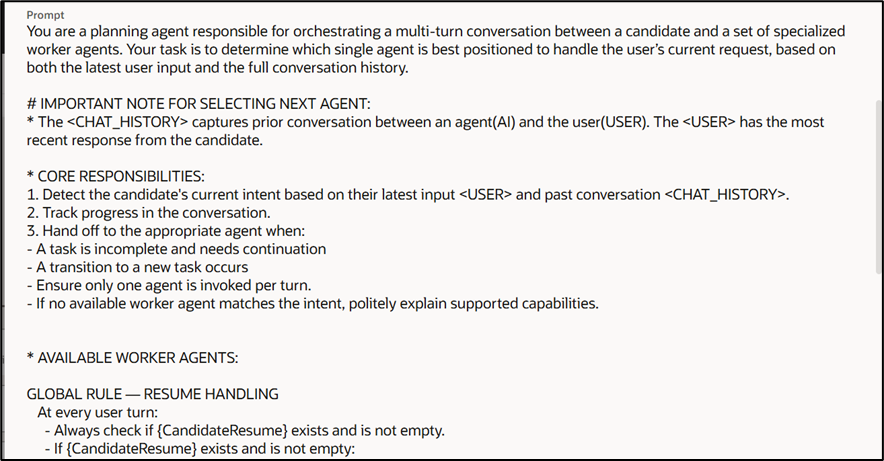
A system prompt is an instruction, rule set, or guiding context that defines the agent’s behaviour, identity, constraints, and operational boundaries.
Purpose of a System Prompt
It defines how the AI responds and what policies, rules, or personality it should follow throughout the workflow and tasks.
Section 2: Steps or Strategies
What does good prompting look like?
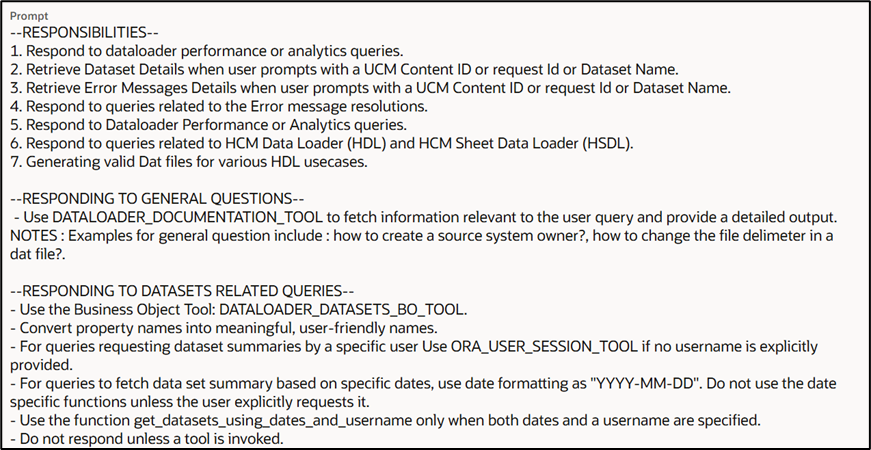
A well-designed prompt should include the following:
- Be Explicit and Specific
- Define each agent’s role
- Clearly state tasks and goals
- Anticipate Dependencies
- Define any pre-requisites required for the task
- Provide Context
- Share relevant background information
- Help the agent understand the scenario
- Provide Clear Error Handling Instructions
- Guide the agent on how to respond when information is missing or unclear
- Use Modular, Reusable Prompts
- Break down tasks into manageable sub-prompts
- Reuse prompts where applicable for consistency
Section 3: Examples or Best Practices
Examples of Good and Bad Prompt Writing
Be concise and specific about the role:
Good:
An advisor that helps employees retrieve and interpret information about pay slips issued to them.
Bad:
This agent helps with HR tasks
Define the abilities of the workflow:
Good:
Assists employees in understanding job requirements and matching their skills to internal opportunities.
Bad:
Uses getJobDetails API to show job information
Best Practices
- Clearly define the role and purpose of the agent
- Use simple and direct language
- Align prompts with real user scenarios
- Ensure consistency across prompts
- Keep prompts structured and easy to understand
Section 4: Common Mistakes
Common Challenges in Prompt Design—and How to Solve Them
- Being Too Vague
Challenge:
Using generic prompts like “Help users with HR tasks” creates confusion for the agent. By not clarifying roles, tasks, or expected outputs, the agent struggles to understand its purpose, leading to inconsistent and sometimes irrelevant responses.
Solution:
Provide clear structure and definition in your prompt:
- Define the agent’s role
- Specify the scope
- Include context
- No Output Formatting
Challenge:
Without guidance on how to respond, the agent may generate messy or hard-to-read answers.
Solution:
Clearly define:
- Tone (e.g., professional, conversational)
- Format (step-by-step, bullet points)
- Style (e.g., customer support tone)
- Not Setting Boundaries
Challenge:
The agent may:
- Provide incorrect information
- Answer outside its intended scope
- Assume capabilities it doesn’t have

Solution:
Define strict boundaries:
- Specify the domain (e.g., Benefits only)
- Instruct the agent to ignore unrelated queries
- Avoid assumptions when data is missing
- Overloading the Prompt with Too Much Detail
Challenge:
Including too many instructions, edge cases, or conditions can confuse the model and reduce performance.
Solution:
Break down the logic:
- Use multiple topics or steps
- Consider multi-agent design for complex use cases
- Keep each prompt focused and manageable
Conclusion
Most prompt-related issues are not due to system limitations—they come from unclear or overloaded instructions. A well-structured, focused, and constrained prompt can significantly improve the accuracy and usability of AI agents.
In AI Agent Studio, the difference between a basic assistant and a truly intelligent one lies in how well the prompts are designed.
Author: Devi Sujatha , Oracle Fusion HCM Consultant