Home with Ask Oracle: Enhancing Navigation in Oracle Fusion Applications


Introduction
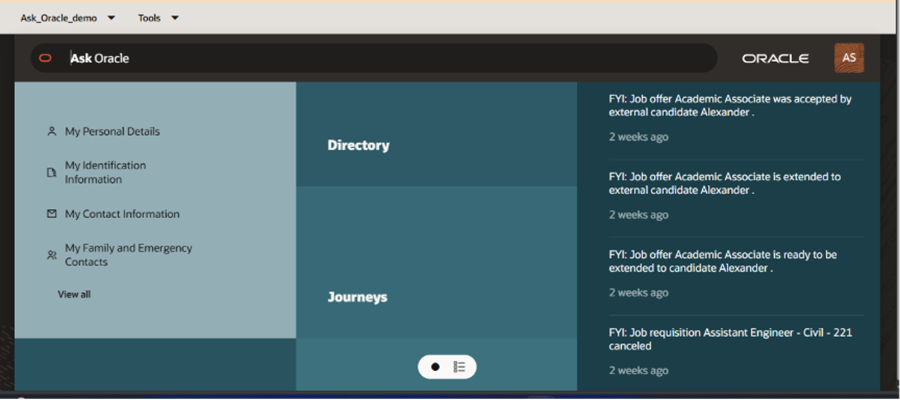
Oracle Fusion Cloud Applications continue to evolve by introducing modern user experiences that simplify navigation and improve productivity. One such enhancement is Home with Ask Oracle, a modern home page and global navigation experience that enables users to search, navigate, and access applications, tasks, and information from a single interface.
With this feature, users can type requests in natural language to locate tasks, work areas, or application pages. The system also provides intelligent suggestions based on frequently used and recently accessed areas. This helps users complete their tasks faster and reduces the need for extensive navigation or training.
In this blog, we will explore the key concept of Home with Ask Oracle, the steps required to enable it, best practices for implementation, and common mistakes to avoid.
Key Concept
Home with Ask Oracle provides a modern and intelligent navigation experience within Oracle Fusion Applications. It replaces the traditional home page and allows users to quickly find information using a unified search and navigation interface.
The feature includes the following key components:
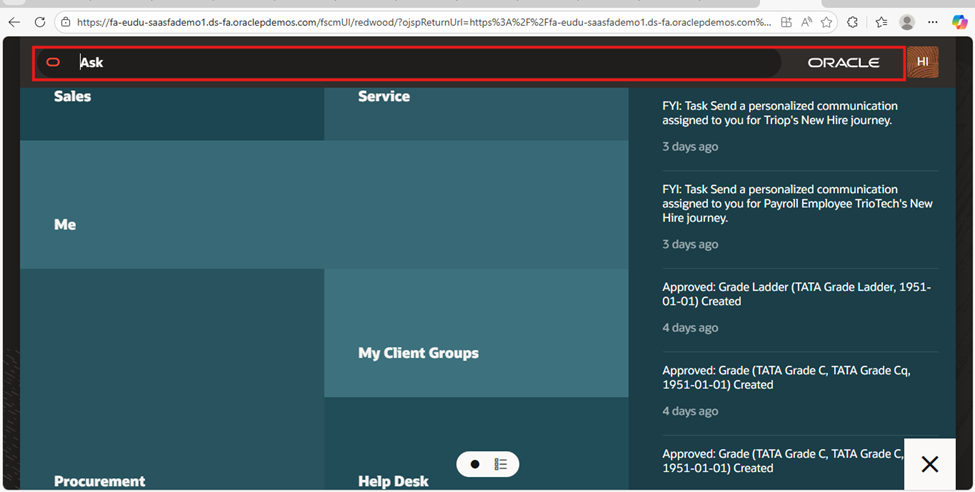
Search
The search functionality allows users to find tasks and pages quickly, even if they don’t know the exact name of the task.
Key capabilities include:
- Type-ahead search results for faster navigation
- Synonym matching to improve search accuracy
- Search hints displayed in the search field
Product Map
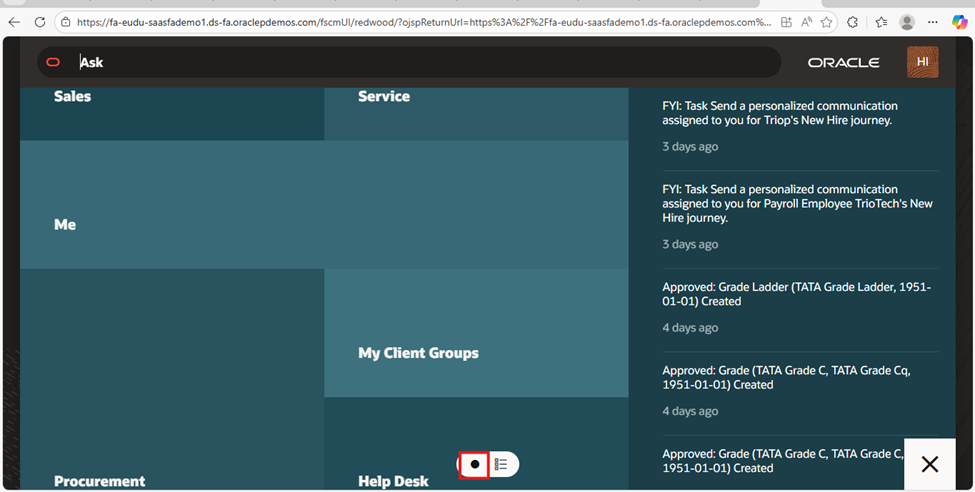
The Product Map is displayed when users access the Home page for the first time.
It contains two levels:
Functional Groups
Displays all functional areas accessible to the user.
Work Areas and Tasks
When a functional group is selected, the system displays the related work areas and tasks.
Suggestions List
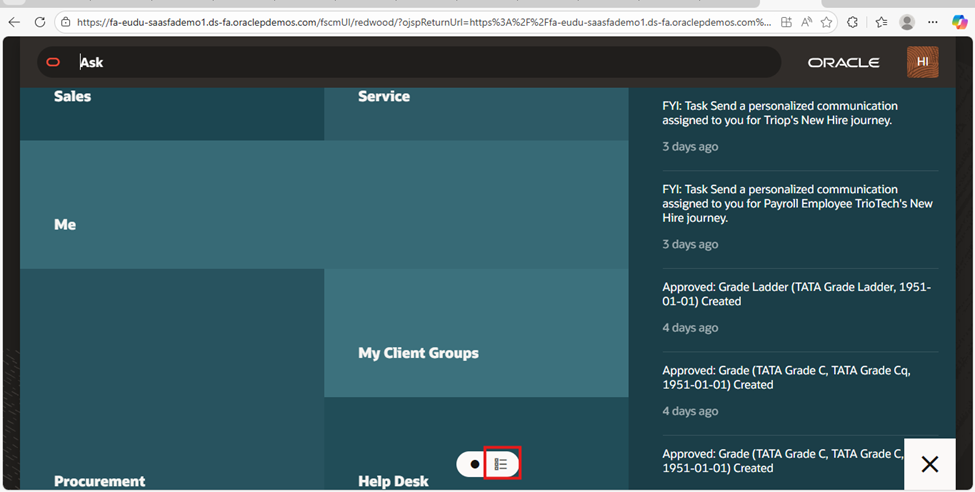
The Suggestions List improves user productivity by displaying frequently used and recently accessed work areas.
Over time, the system learns user behavior and automatically prioritizes commonly used tasks.
Steps to Enable Home with Ask Oracle
The following steps can be used to enable Home with Ask Oracle in Oracle Fusion Applications.
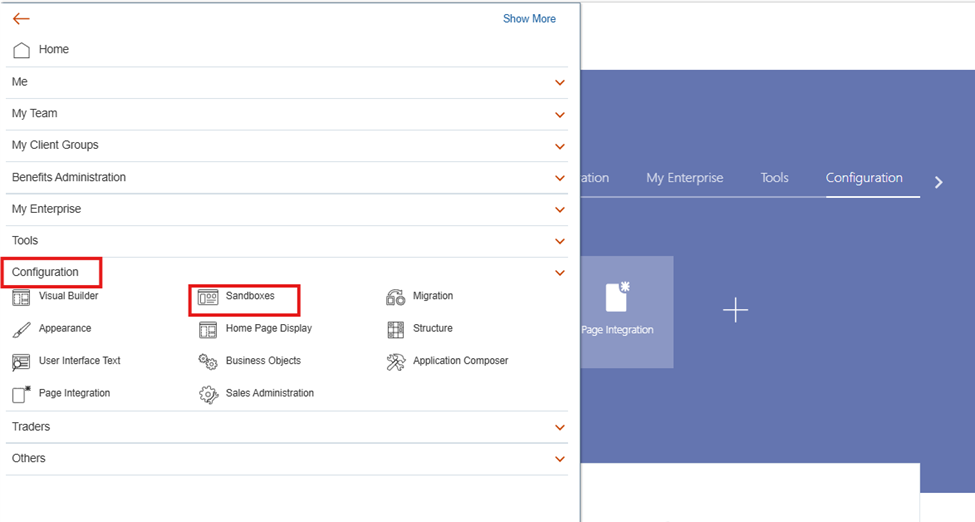
Step 1: Create or Access a Sandbox
Navigate to Configuration → Sandboxes.
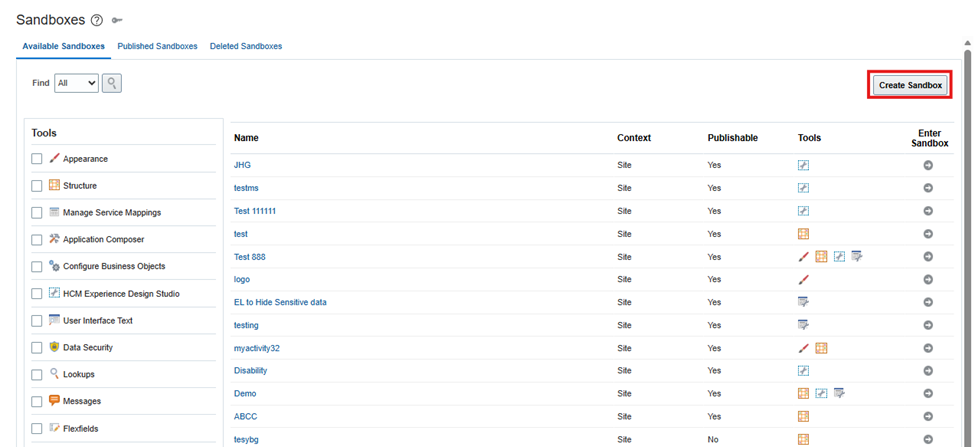
Create a new sandbox or open an existing sandbox.
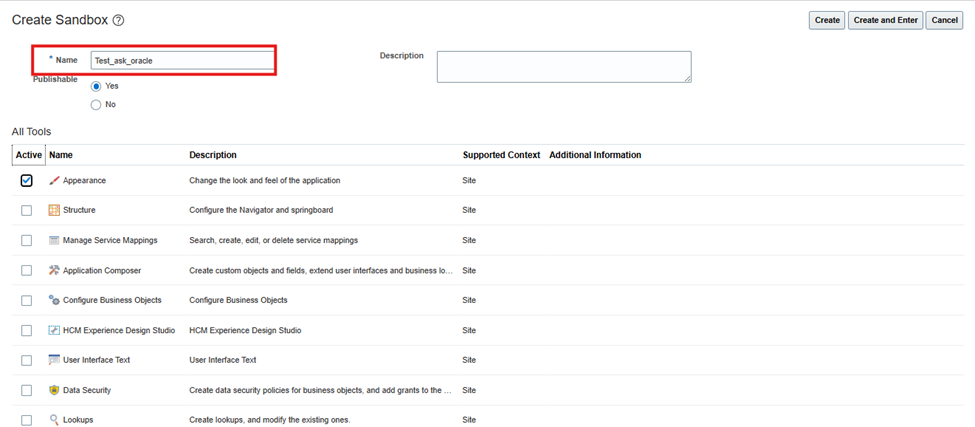
Ensure that the Appearance tool is enabled in the sandbox configuration.
Important:
Avoid using spaces or special characters in the sandbox name.
Step 2: Configure Appearance Settings
After activating the sandbox:
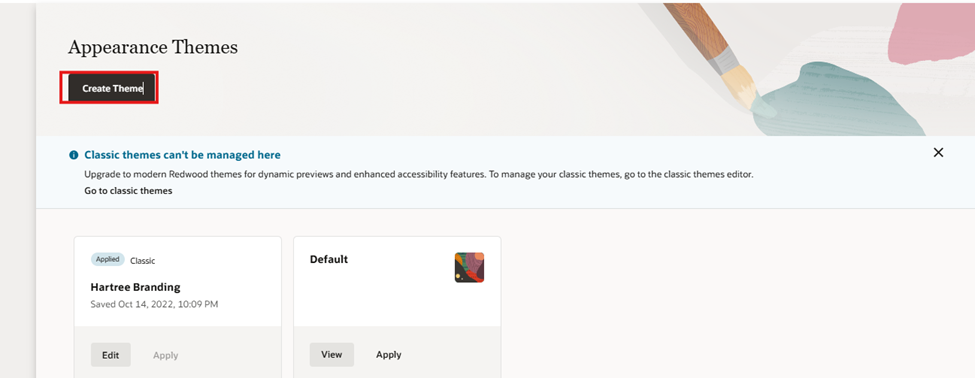
- Navigate to Tools → Appearance.
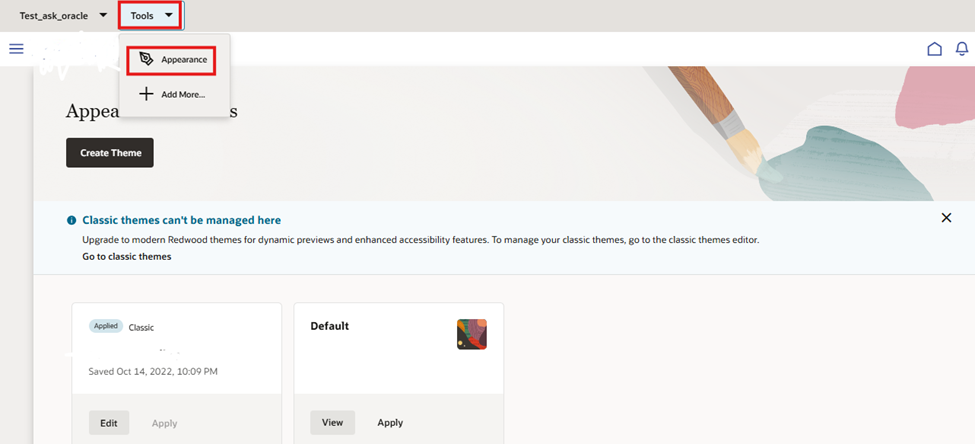
2. Create a new theme.
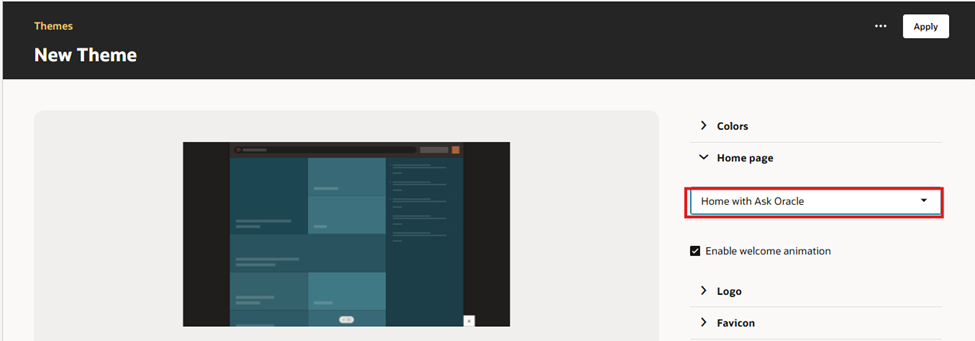
3.Select Home with Ask Oracle as the Home Page Layout.
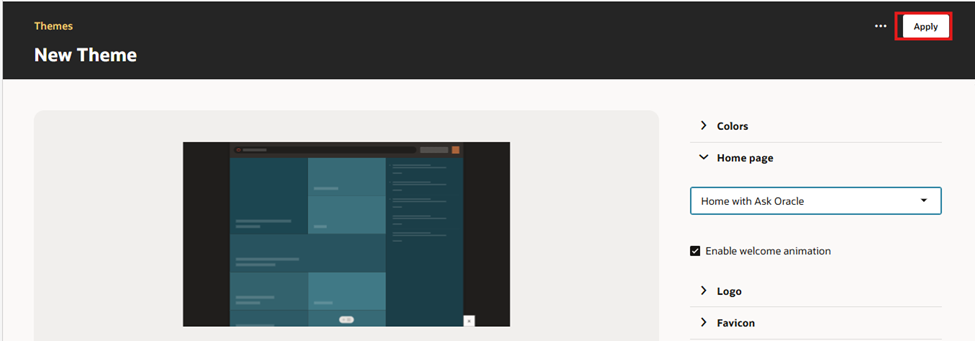
- Apply and save the theme.
Step 3: Resolve Unsupported Expressions
If the system displays a message about unsupported expressions:
- Run the scan provided by the system.
- Resolve any identified expressions.
This ensures compatibility with the new home page layout.
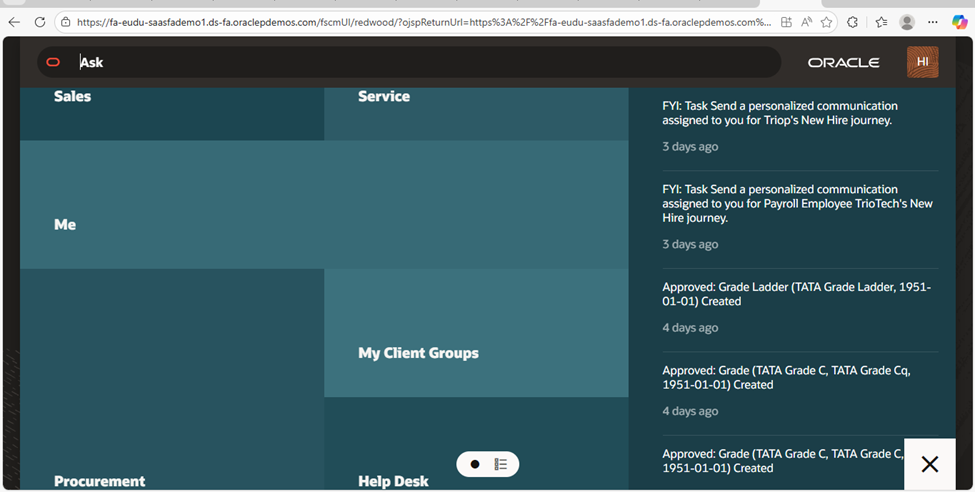
Step 4: Validate the Home Page
Click the Home icon to confirm that the new Home page loads successfully.
Verify that:
- The Ask Oracle search bar appears
- The Product Map is visible
- Navigation works correctly
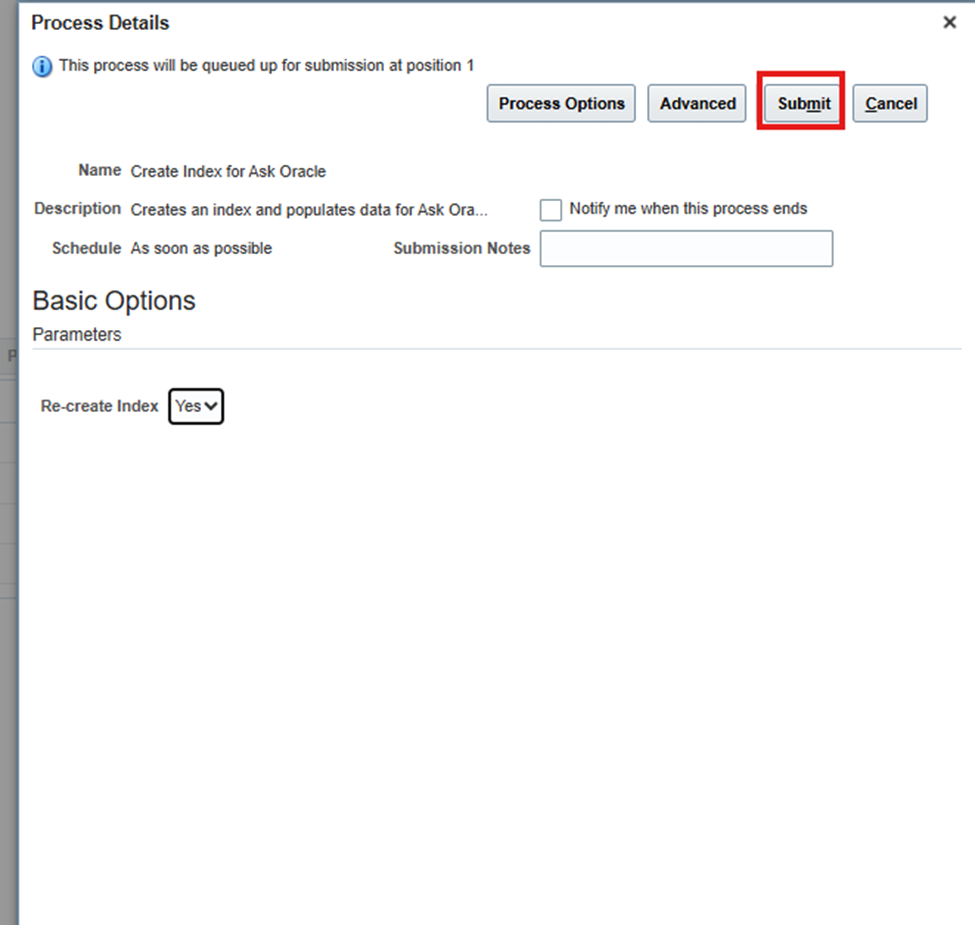
Step 5: Create Index for Ask Oracle
To ensure search results work properly:
- Navigate to Tools → Scheduled Processes.
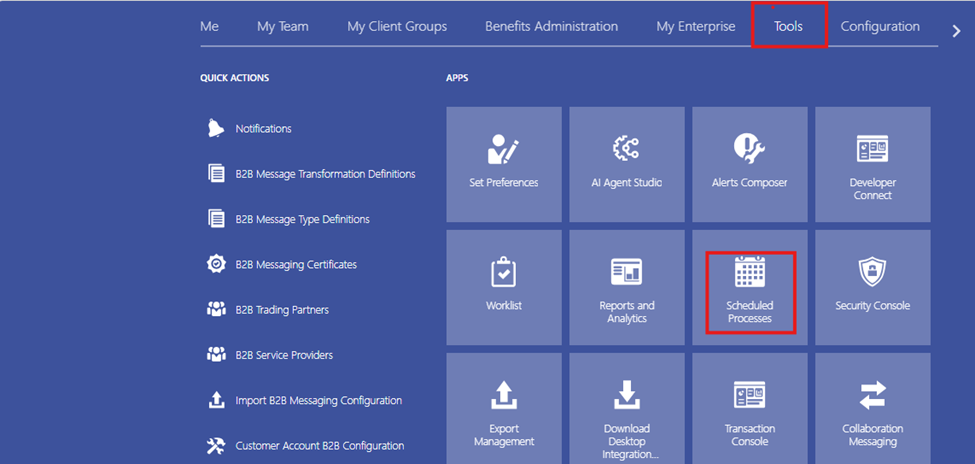
2. Schedule the process Create Index for Ask Oracle
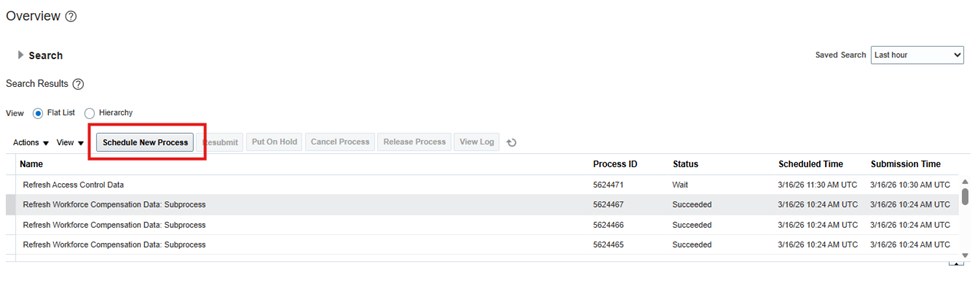
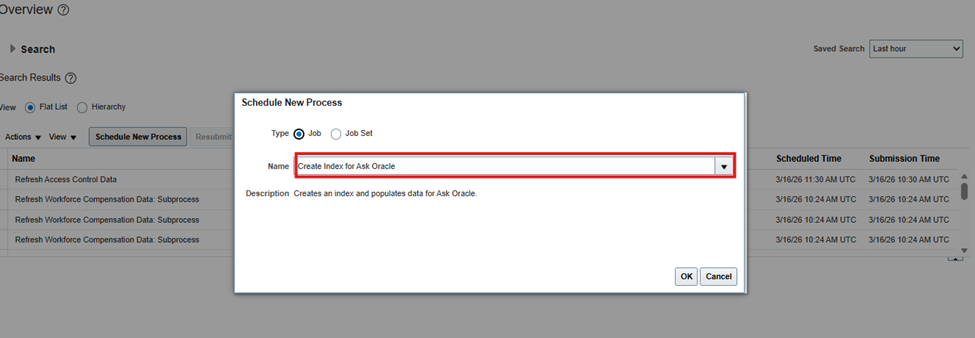
3. Set Re-create Index = Yes.
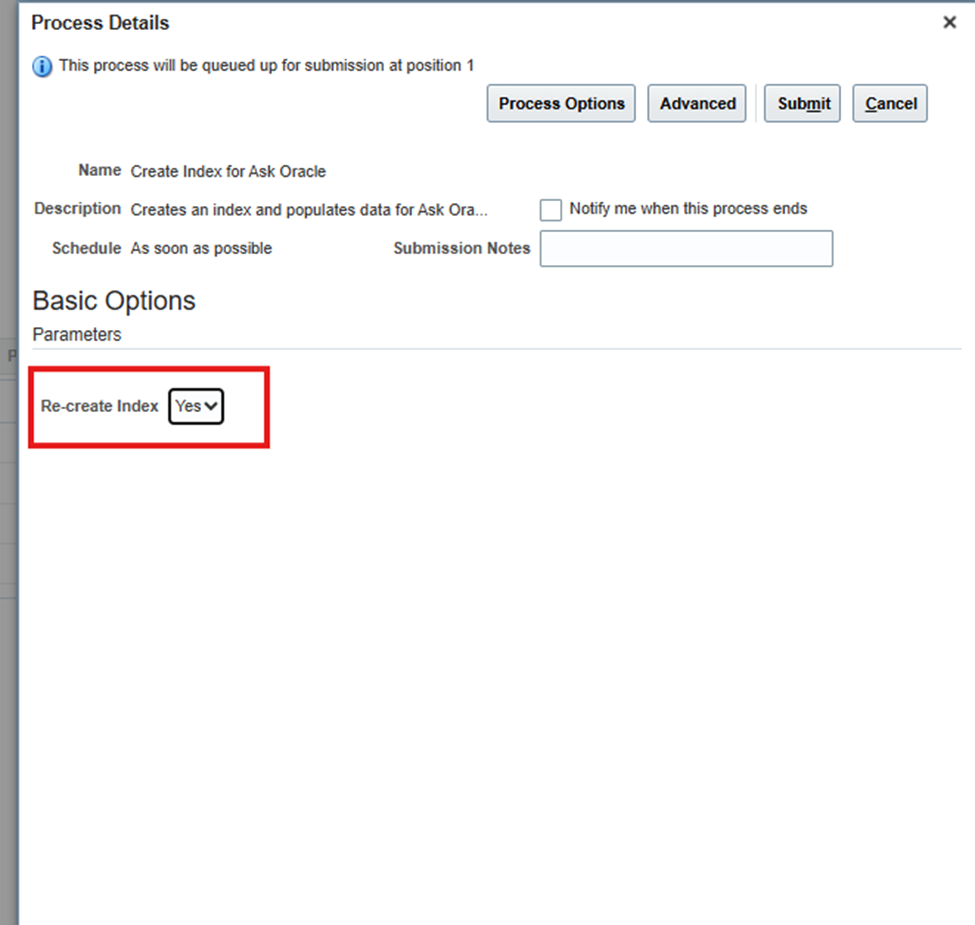
4.Submit the process and wait for completion
Step 6: Publish the Sandbox
Once validation is complete:
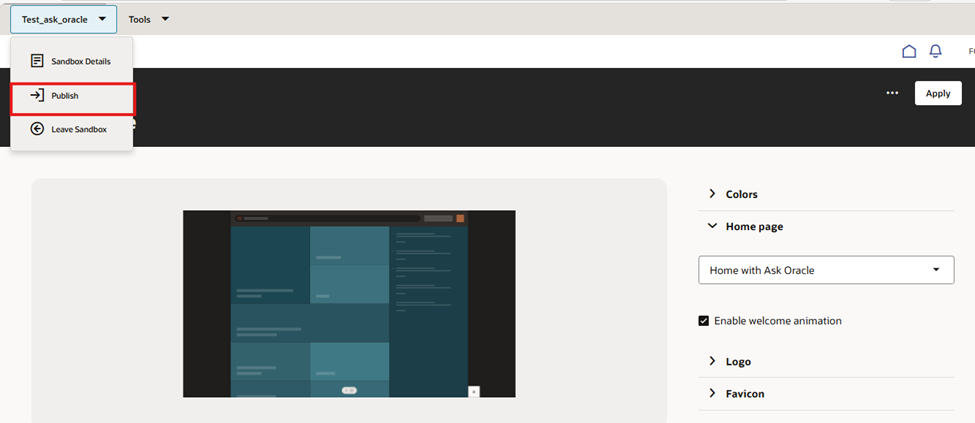
- Navigate back to Sandboxes.
- Click Publish Sandbox.
After publishing, the Home with Ask Oracle interface becomes available to all users.
Best Practices
To ensure smooth implementation and optimal performance:
- Always test the configuration in a sandbox environment before publishing changes.
- Run the Create Index for Ask Oracle process regularly to maintain accurate search results.
- Run the Synchronize Notifications in Global Header scheduled process so notifications reflect the latest workflow status.
- Customize the Home page with company branding such as logo and theme color.
Logo requirements:
- Transparent PNG format
- File size less than 200 KB
- No spaces in the file name
Common Mistakes
While enabling Home with Ask Oracle, some common mistakes may cause issues:
- Not verifying Search Cloud Service availability, which may result in a blank home page.
- Skipping the Ask Oracle indexing process, which prevents search results from appearing.
- Enabling the feature without testing in a sandbox environment.
- Expecting unsupported features such as Watchlist, Favorites, or Oracle Guided Learning, which are not available in this layout.
Additionally, Home with Ask Oracle should not be enabled in Cloud at Customer environments, as the required services are not available.
Conclusion
Home with Ask Oracle provides a centralized and intelligent navigation experience within Oracle Fusion Applications. By enabling natural language search, personalized suggestions, and structured navigation through the Product Map, users can quickly locate tasks and access their work areas.
When implemented correctly with proper configuration, indexing, and testing, this feature significantly improves user productivity and simplifies navigation across Oracle applications.