Manage Own Document Records with AI Assistance in Oracle HCM

Introduction
Oracle Fusion HCM is gradually making every day HR tasks easier by adding AI-powered features. One of the latest additions is the Document Records Management Assistant – an AI agent that helps employees create, organize, and find their document records much more easily.
Instead of going through multiple pages in the Document Records screen, employees can simply interact with the assistant using natural language. For example, they can ask it to help create a document record or quickly find an existing one. The assistant understands the context of different document types and provides helpful suggestions along the way.
Behind the scenes, it uses Large Language Model (LLM) technology to understand what the user is trying to do. This makes the process smoother and more intuitive, especially for employees who may not be familiar with the system.
Overall, the assistant makes managing document records faster and simpler. It helps users capture documents correctly, organize them in the right categories, and retrieve them whenever needed—without spending too much time navigating through the system.
Why Use AI Assistance for Managing Document Records?
Using the Document Records Management Assistant provides several advantages compared to the traditional user interface:
- Access to Relevant Resources – The assistant uses a Document Retrieval-Augmented Generation (RAG) tool to provide relevant information and resources.
- Streamlined Workflow – Multiple actions can be performed through a single conversational query with direct links to the required document records.
- Reduced Learning Curve – New or infrequent users can easily manage document records without requiring extensive training.
- Intent Recognition – The AI assistant automatically identifies user intent, such as requests like “latest passport”, and retrieves the correct record.
- Guided Document Creation – The assistant suggests appropriate document types, categories, required fields, and metadata values when creating records.
- Natural Language Interaction – Users can interact with the assistant conversationally and receive clear, actionable responses aligned with organizational policies.
Overview of Manage Own Document Records with AI Assistance
The Document Records Management Assistant – AI Agent allows employees to manage their document records directly through conversational prompts. The assistant leverages contextual understanding to identify document types and retrieve relevant records quickly.
With this AI agent, employees can:
• Retrieve document records such as passports, pay slips, or other uploaded documents.
• Create new document records by providing relevant details.
• Update their existing document records when necessary.
• Access deep links that directly open specific document records.
For example, employees can interact with the AI assistant using prompts such as:
“Find my latest passport.”
“Show me my pay slip for June 2025.”
The AI assistant analyzes the request and retrieves the relevant document record instantly, improving productivity and reducing the time required to locate documents.
Demonstration Steps
Step 1: Check the Required Environment Setup
Before you enable the Document Records Management Assistant, make sure your environment has the necessary configurations in place. In some cases, your help desk team may need to raise a request with Oracle Support to confirm that the required setup has been enabled in your environment.
Step 2: Enable the Required Profile Option
Next, you need to enable a profile option that allows the AI agent to integrate properly.
Navigate to Manage Administrator Profile Options and enable the following profile:
Enable Security Console External Application Integration
(ORA_ASE_SAS_INTEGRATION_ENABLED)
Set the value to Yes.
Step 3: Create the AI Agent Using the Preconfigured Template
Once the configuration is ready, you can create the AI agent.
- Log in to Oracle Fusion HCM.
- Go to AI Agent Studio.
- Search for the Document Records Management Assistant template.
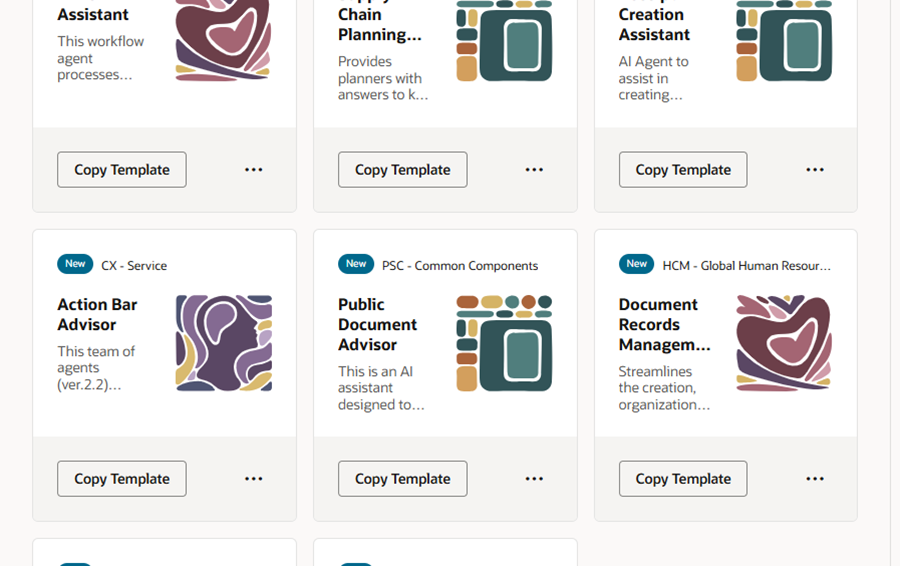
4.Click Copy Template to create your own version of the agent.
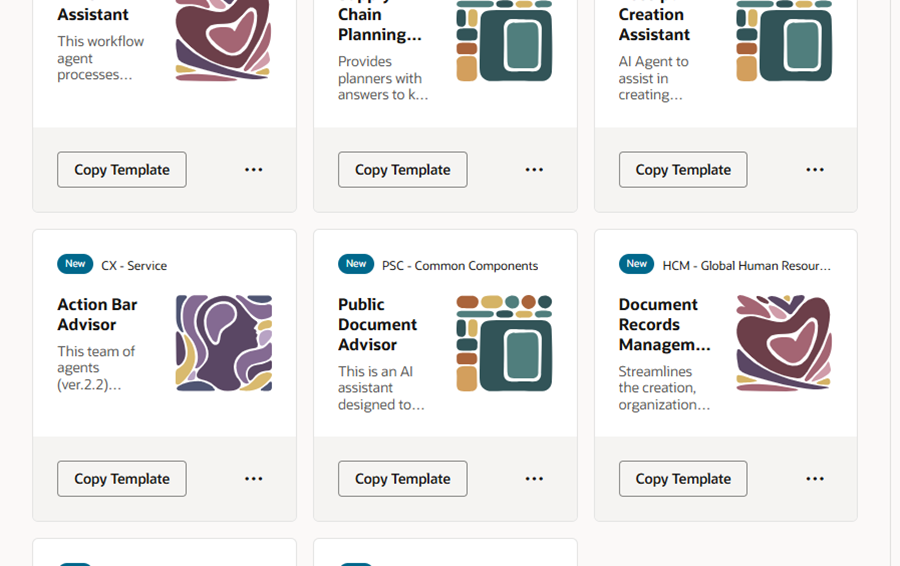
This step basically creates your own instance of the assistant based on the prebuilt Oracle template.
Step 4: Assign Access and Publish the Agent
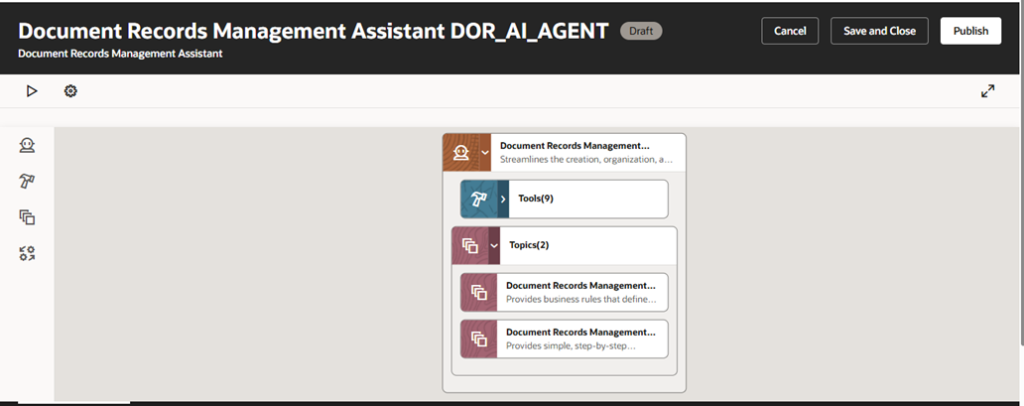
After creating the AI agent, the final step is to make it available to users.
Assign the appropriate roles and permissions so the right employees can access it. Once access is configured, publish the AI agent, and it will be ready for employees to start using.
Business Benefits
- Better User Experience – Employees can manage their documents simply by interacting with a conversational AI assistant, making the process much easier and more intuitive.
- Faster Information Retrieval – The AI quickly identifies and brings up the most relevant document records, saving time spent searching.
- Less Administrative Work – Employees can manage their own documents without needing frequent help from HR teams.
- Improved Productivity – With natural language queries, users can access the records they need much faster.
- Secure Access to Data – Role-based permissions ensure that document records are accessed only by the right people, keeping information secure.
Conclusion
The Document Records Management Assistant – AI Agent introduces an intelligent way for employees to manage their document records within Oracle Fusion HCM. By leveraging AI and natural language processing, employees can retrieve, create, or update document records without navigating complex pages.
This capability enhances employee self-service while maintaining security, compliance, and data accuracy, demonstrating how AI-driven automation can streamline HR processes and improve workforce efficiency.