PeopleTools 8.62 – Query Administration and Partial Data Masking Enhancements


Oracle continues to improve PeopleSoft with every PeopleTools release, focusing not only on new features but also on strengthening administrative control and data security. In modern enterprise systems, managing queries efficiently and protecting sensitive data are both critical responsibilities for administrators.
PeopleTools 8.62 introduces a set of improvements that address these areas through enhancements to Query Administration and the introduction of Partial Data Masking capabilities. These updates make it easier for administrators to monitor query activity, manage performance issues, and ensure that confidential information does not get exposed through query results.
In this blog, we will take a closer look at these enhancements and understand how they help improve governance and data protection within the PeopleSoft environment.
1. Query Administration Enhancements
The Query Administration component in PeopleSoft provides administrators with a centralized place to monitor and manage queries created through PeopleSoft Query Manager.
In many organizations, hundreds or even thousands of queries are created over time. Some of these queries may run frequently or may not be optimized properly, which can impact system performance. The Query Administration component helps administrators track these queries and take necessary actions when needed.
Navigation
PeopleTools > Utilities > Administration > Query Administration
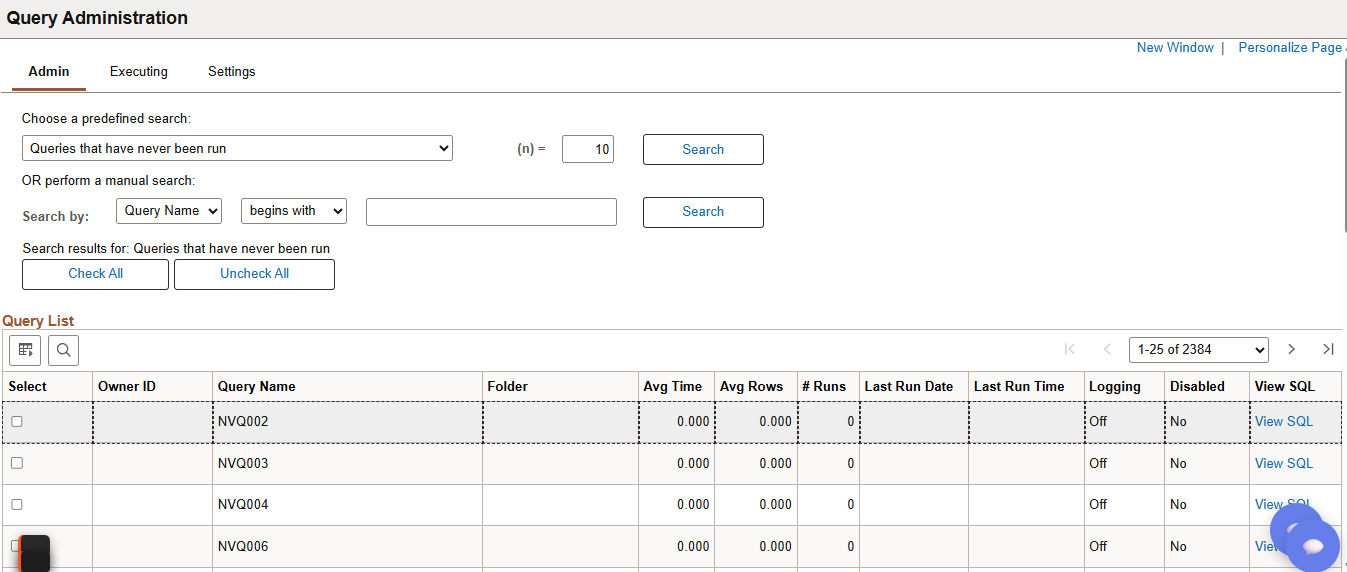
Admin Page
The Admin Page acts as the central console for managing queries within the PeopleSoft environment.
Key Functions:
• Enable / Disable queries
• Turn query logging ON/OFF
• Reassign query ownership
• Rename / Move / Delete queries
• Clear logs and statistics
Executing Page
The Executing Page provides visibility into queries that are currently running in the system. This page is particularly useful when administrators need to investigate performance issues caused by long-running queries.
Through this page, administrators can:
- View active queries along with details such as user ID, application server domain, and runtime
- Identify queries that have been running for an unusually long time
- Terminate queries that may be impacting system performance
- Enable or disable query logging when required
Technical Note
Information about executing queries is stored in the PSQRYTRANS table. When a query finishes or is terminated, PeopleTools automatically cleans up any orphaned records associated with that query.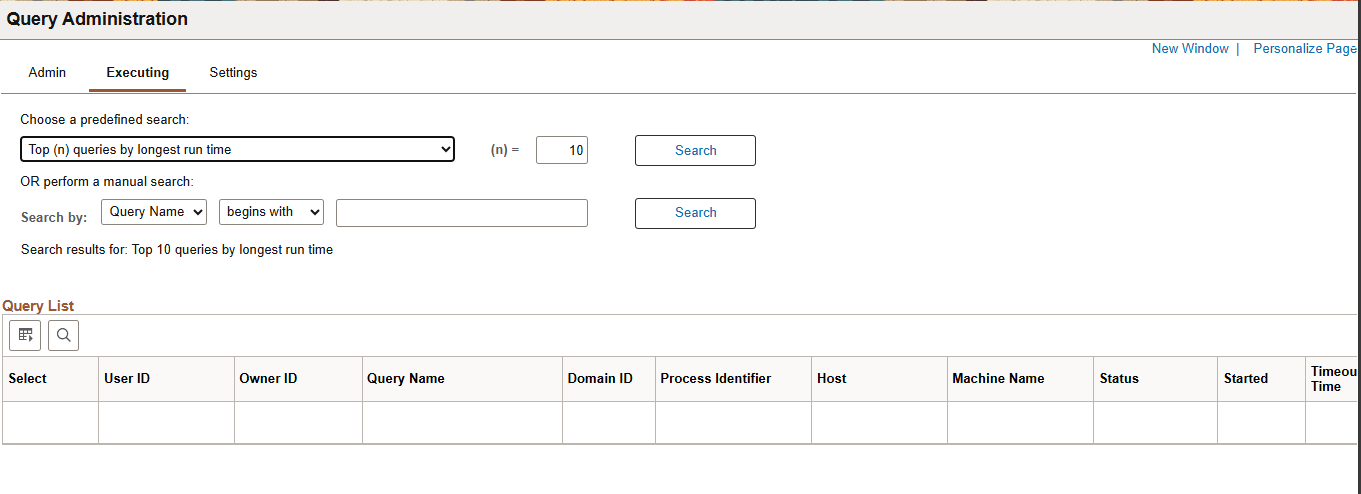
Settings Page
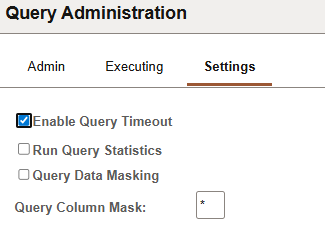
The Settings Page allows administrators to configure system-level behavior related to query execution and monitoring.
Some of the important configuration options available on this page include:
- Enable Query Timeout – Automatically terminate queries that exceed the defined execution time
- Run Query Statistics – Collect performance statistics for queries
- Query Data Masking – Enable masking of sensitive data in query results
- Query Column Mask – Configure masking rules for specific columns
These settings help administrators establish governance policies around how queries operate in the environment.
2. Partial Data Masking
One of the notable security enhancements introduced in PeopleTools 8.62 is Partial Data Masking.
In many cases, query results may include sensitive information such as employee IDs, bank account numbers, or personal identifiers. Displaying this information in its entirety may pose a security risk.
Partial Data Masking addresses this concern by hiding a portion of the data while still displaying part of the value.
Example
Original Value
1234567890
Masked Value
1234******
This approach allows users to identify the record while preventing exposure of the complete sensitive information.
Configuration Steps
To enable partial data masking:
- Navigate to Query Administration > Settings
- Enable Query Data Masking
- Specify the Masking Character (for example *)
- Define the number of characters that should remain visible
Note:
Data masking does not apply to Long Character fields or Image fields.
Business Benefits
These enhancements provide several practical benefits for organizations using PeopleSoft:
- Improved Data Security
Sensitive information in query results can be protected from unnecessary exposure. - Simplified Query Administration
Administrators can manage queries centrally and monitor activity more efficiently. - Regulatory Compliance Support
Data masking helps organizations align with privacy and compliance requirements. - Better Governance and Monitoring
Query logs and statistics provide better visibility into system usage.
Conclusion
PeopleTools8.62brings meaningful improvements to query administration while strengthening data privacy through the introduction of partial data masking. These enhancements give administrators greater visibility into query activity and provide better control over how queries are executed and managed.
By using these capabilities effectively, organizations can maintain better governance over their PeopleSoft queries while ensuring that sensitive data remains protected across reporting and analytics tools.