Learning and Development Agents: Enabling Intelligent Learning Automation in Oracle Learning Cloud

Introduction
As organizations transition towards a skills-based workforce, the need to intelligently manage and enrich learning content has become critical. Oracle Learning Cloud introduces Learning and Development Agents, which leverage AI-driven capabilities to automate skill tagging, content enrichment, and catalog optimization.
These agents enable organizations to scale learning operations efficiently while improving learning relevance and discoverability. This blog provides a step-by-step guide to configuring Learning and Development Agents within Oracle HCM Cloud.
Step 1: Access Learning and Development
Log in with a Learning Administrator or Learning Specialist role.
Navigate to:
My Client Groups → Learning and Development
This work area provides access to all learning configuration and administration capabilities.
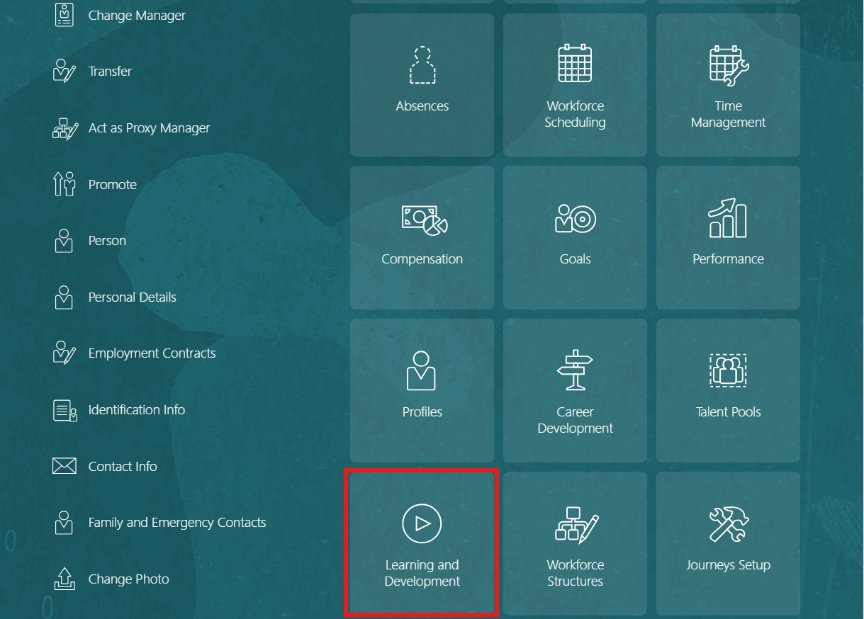
Fig 1 : My Client Groups – Learning and Development Tile
Step 2: Navigate to Learning and Development Agents
From the Learning and Development work area, select: Learning and Development Agents
This opens a centralized dashboard to create, manage, and monitor all learning-related agents.
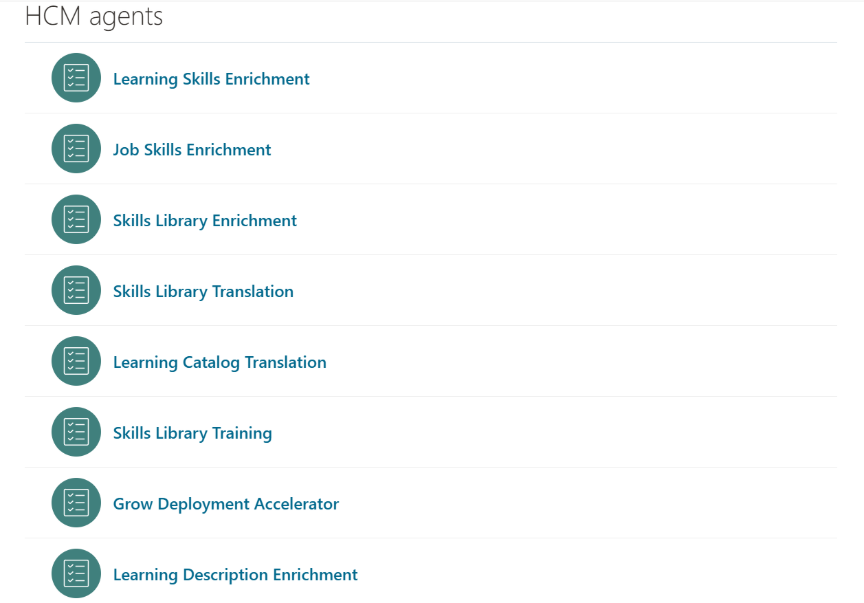
Fig 2 : Learning and Development Agents Dashboard
Step 3: Review Available HCM Agents
The system provides multiple pre-configured agents, including:
- Learning Skills Enrichment
- Learning Description Enrichment
- Job Skills Enrichment
- Learning Catalog Translation
- Skills Library Enrichment
- Skills Library Training
- Grow Deployment Accelerator
Each agent automates specific learning and skills-related processes, reducing manual intervention.
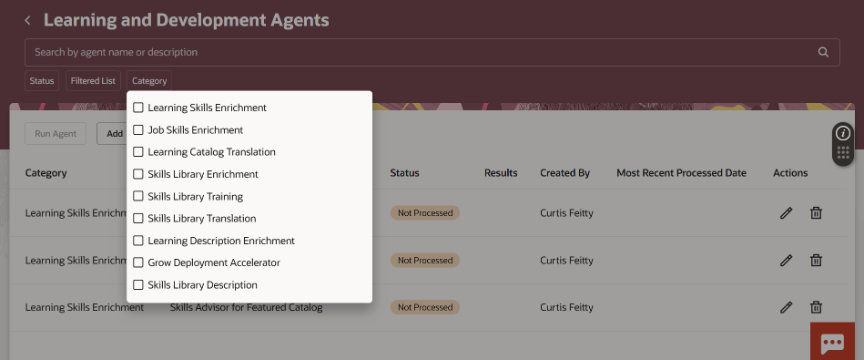
Fig 3 : List of Available Learning and Development Agents
Step 4: Create a Learning Skills Enrichment Agent
- Click Add and select Learning Skills Enrichment
- Enter:
- Agent Name
- Description
- Select a Filtered List to define applicable learning items (e.g., catalog/category)
This step ensures targeted processing of learning content.
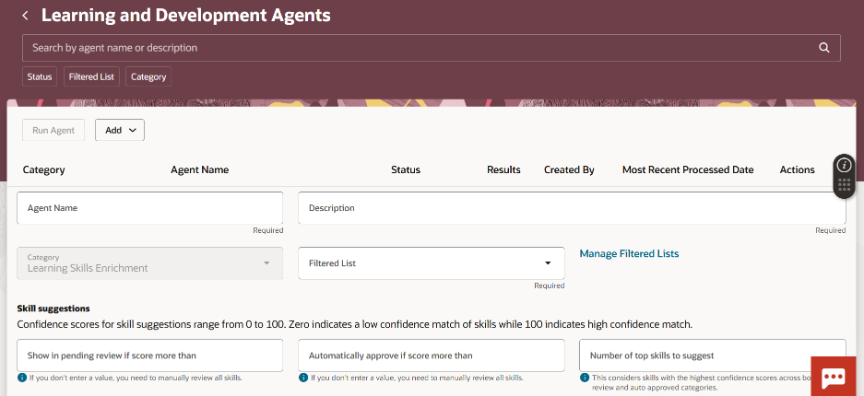
Fig 4 : Create Learning Skills Enrichment Agent
Step 5: Configure Skill Suggestion Rules
The agent uses AI-based confidence scores (0–100) to determine skill relevance.
Configuration options include:
- Show in Pending Review if score > threshold → Manual validation
- Automatically approve if score > threshold → Auto assignment
- Top skills to suggest → Controls number of skills per item
This ensures a balance between automation and governance.
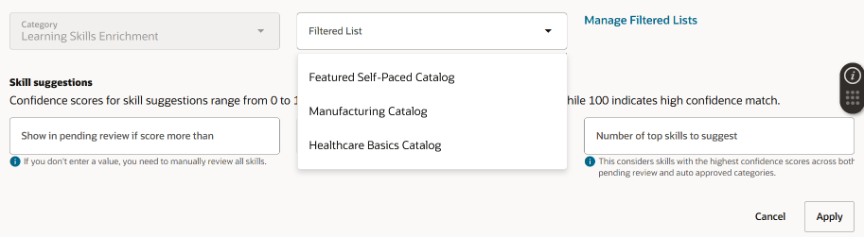
Fig 5: Skill Suggestion Configuration
Step 6: Run the Agent and Monitor Results
- Save the configuration
- Click Run Agent
The agent processes learning items asynchronously and:
- Auto-approves high-confidence skills
- Routes others for manual review
This improves efficiency while maintaining data accuracy.
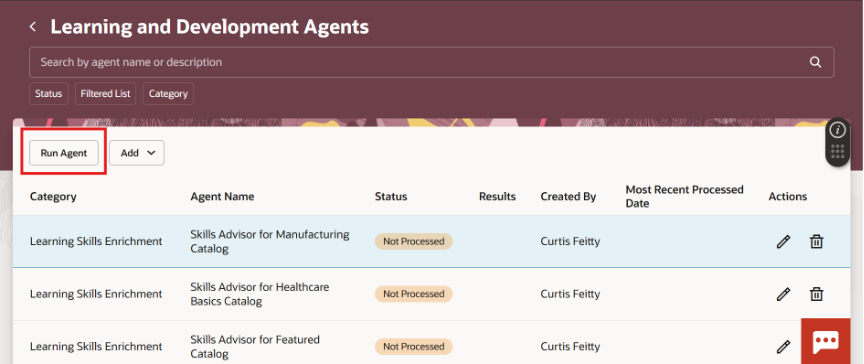
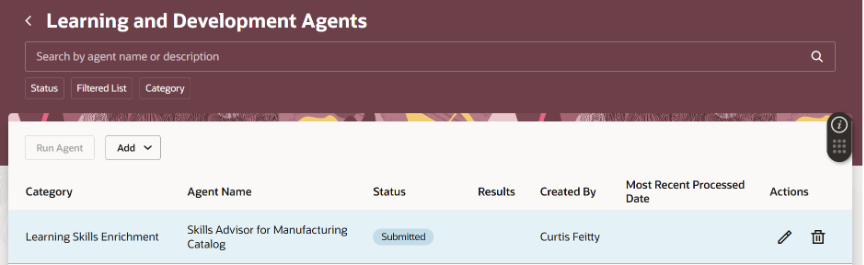
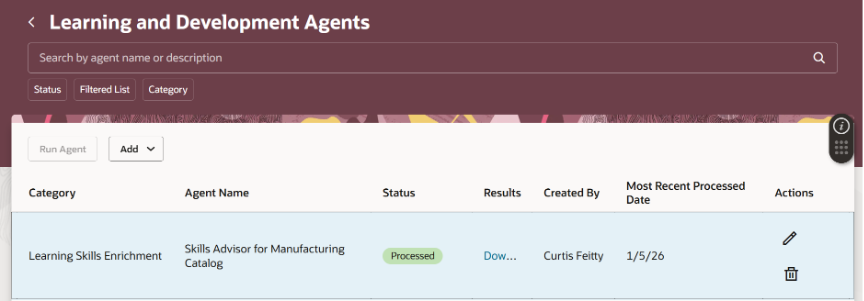
Fig 6: Agent Execution and Results
Business Benefits
- Accelerates skills-based learning initiatives
- Reduces manual effort in learning administration
- Enhances learning discoverability and relevance
- Enables scalable catalog management
- Supports enterprise-wide talent development strategies
Conclusion
Learning and Development Agents in Oracle Learning Cloud provide a powerful mechanism to automate and optimize learning processes using AI. By leveraging these capabilities, organizations can enhance skill alignment, improve workforce readiness, and drive continuous learning at scale.
AUTHOR- ASHISH SINGH, ORACLE FUSION HCM CONSULTANT