Schedule BIP Report And Place Data Onto Content Server from OIC

Prerequisites
Scheduling a BI Publisher (BIP) report and storing the output on a content server for further usage or archival. In this blog, we will walk through the process of automating the scheduling of BIP reports and placing the generated data on a content server from OIC.
- You have access to Oracle Integration Cloud (OIC).
- You have access to the BI Publisher reports and the content server where the report data will be stored.
- Necessary roles and permissions are granted for both BIP and OIC to perform the tasks.
Set up OIC to Call the BIP Report
Now, we’ll configure OIC to call and schedule this BIP report. The steps involve creating an integration flow in OIC that triggers the BIP report:
Step 1: Create an Integration Flow
In Oracle Integration Cloud, navigate to the Integrations section and create a new integration.
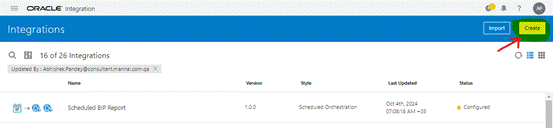
Fig 1: Create Integration
Select Scheduled Orchestration as the integration type (since we want to automate scheduling).
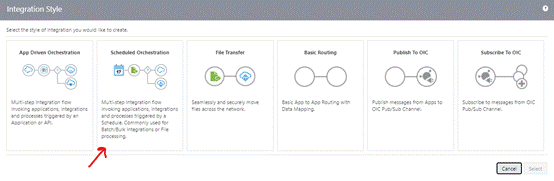
Fig 2: Select Integration Type
Step 2: Call the BI Publisher Service
Use the SOAP Adapter to make a call to the BI Publisher’s Web Service API. Follow these steps:
- In the integration flow, drag and drop the SOAP Adapter and configure it as an Invoke action.
Set the base URI to BIP’s web service URL:
https://<BIP_HOST>:<PORT>/xmlpserver/services/v2/ScheduleService?wsdl
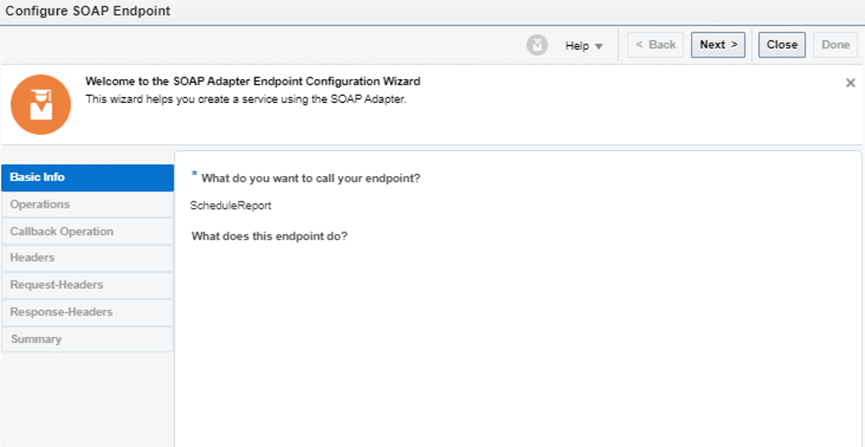
Fig 3: SOAP Adaptor for Schedule Report
- Configure the SOAP endpoint, select the service and operation for use in this integration
- Selected Operation: scheduleReport
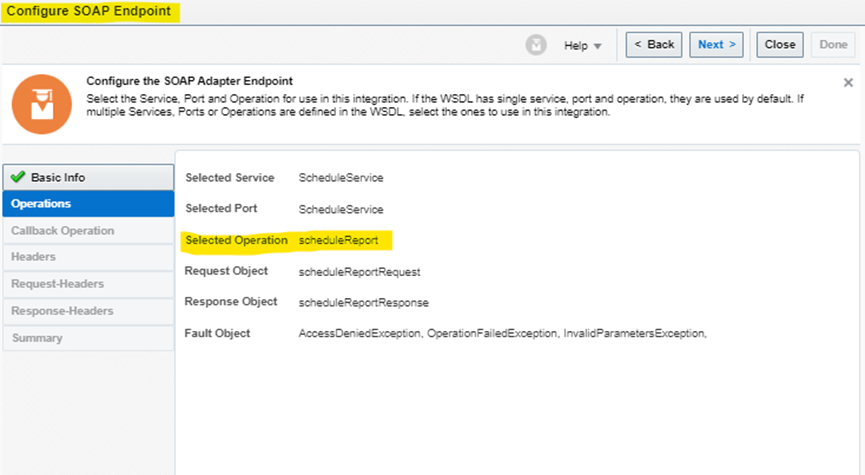
Fig 4: Selected Operation
- Map the request details for scheduleReport Operation.
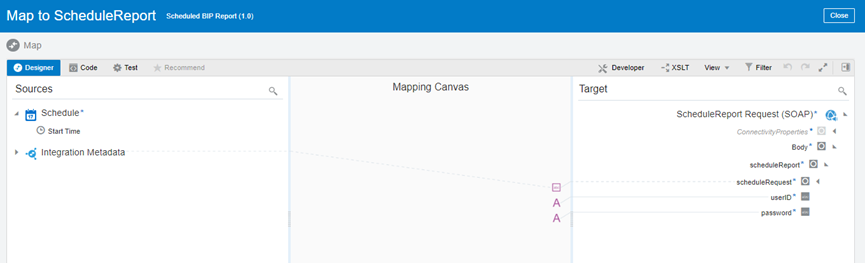
Fig 5: Schedule report manager
Request body for schedule report:
- Username
- Password
- deliveryChannels:-
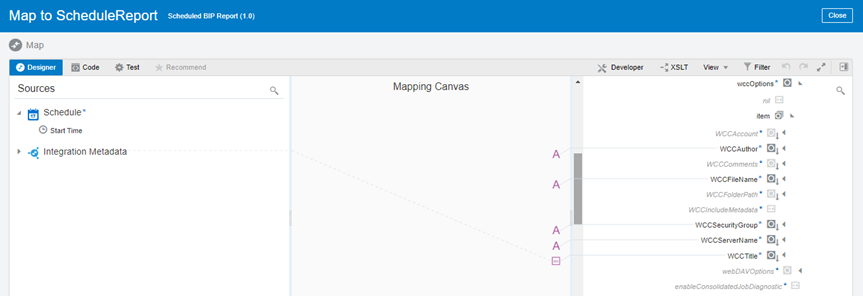
Fig 6: Delivery Channels
Inside wccOptions
- WCCAuthor
- WCCFileName
- WCCSecurityGroup
- WCCServerName
- WCCTitle
reportRequest:-
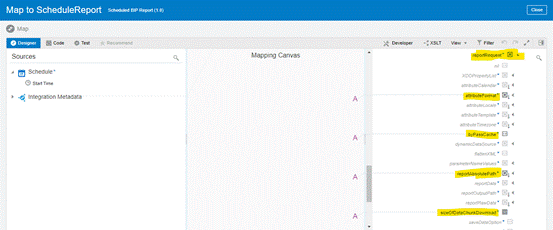
Fig 7: Report Request
Inside reportRequest:
- attributeFormat
- byPassCache
- reportAbsolutePath
- sizeOfChunkDownload
Step 3: Capture the response to the schedule request
Schedule Report Operation will return scheduleJobId in the response; we will create a variable to store scheduleJobId data.
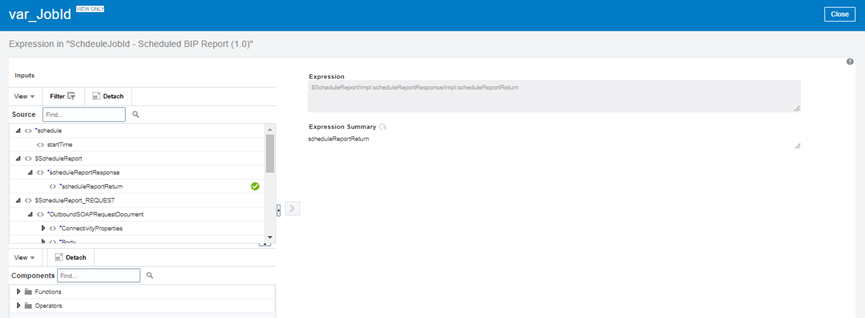
Fig 8: Variable JobId
Step 4: Get Schedule Status
Once get the scheduleJobId we need to check the schedule status. To check the status, we need to call the operation getAllScheduledReportHistory.
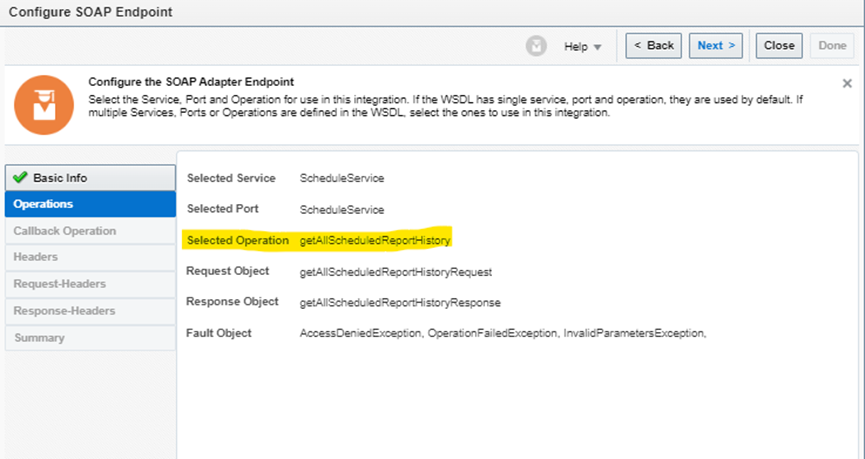
Fig 9: GetAllScheduleReportHistory
Request body for getAllScheduledReportHistory
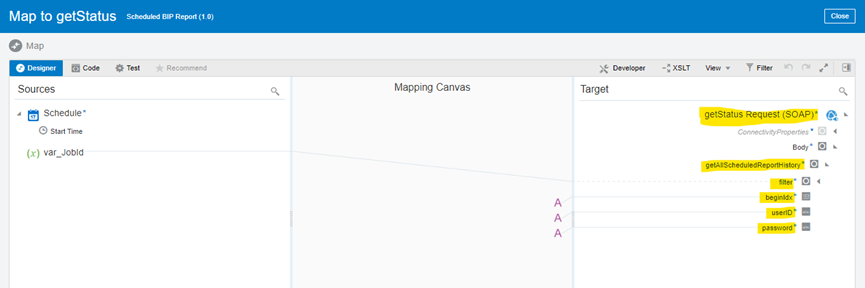
Fig 10: GetAllScheduleReportHistory Mapper
- userID
- Password
- Begindex
- Filter -> JobId
Once the status is ‘S’ (Success). Update the status variable.
Step 5: Search for the file in the Content Server
After that, first we need to search for the file in the content server,
To perform a search operation, we need a Generic SOAP service
https://<HOST>:<PORT>/idcws/GenericSoapPort?wsdl
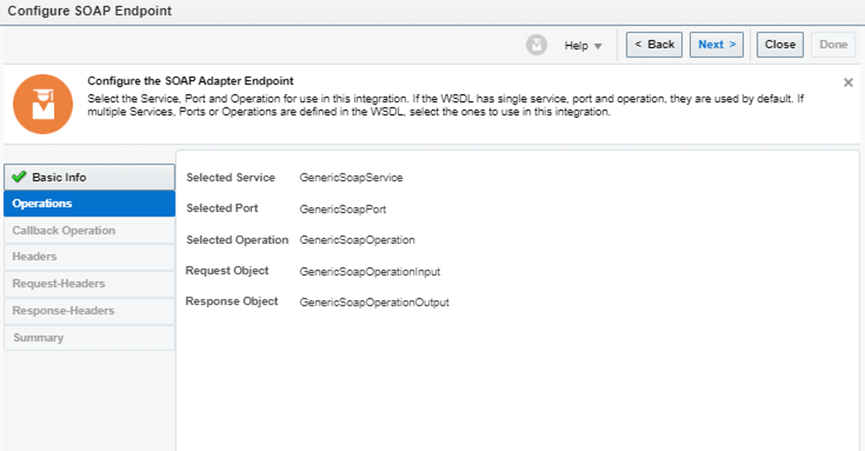
Fig 11: GenericSOAPService for Search File
Generic SOAP service Request for Search requires the following data:-
- webKey =’cs’
- IdcService = ‘GET_SEARCH_RESULT’
- Document -> Field = Document Name
Step 6: Download file from Content Server
To download a file from the content server, we again need to Generic SOAP service.
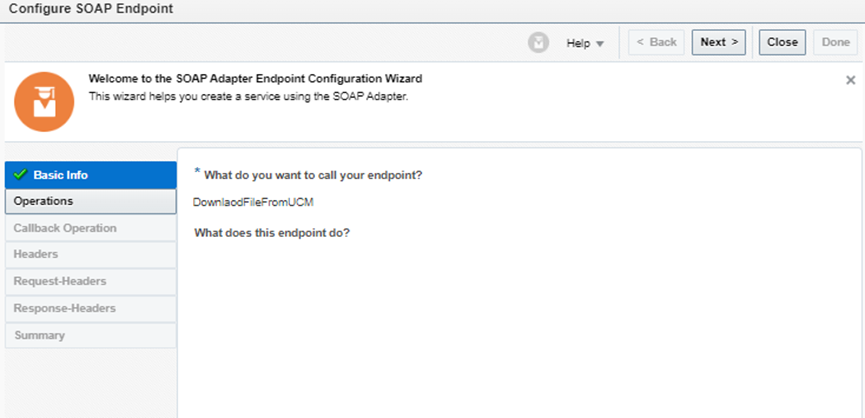
Fig 12: GenericSOAPService For Search Mapper
Generic SOAP service Request for Search requires the following data:-
- webKey =’cs’
- IdcService = ‘GET_SEARCH_RESULT’
- Document -> Field = Document Name
Step 7: Download file from Content Server
To download a file from the content server, we again need to Generic SOAP service.
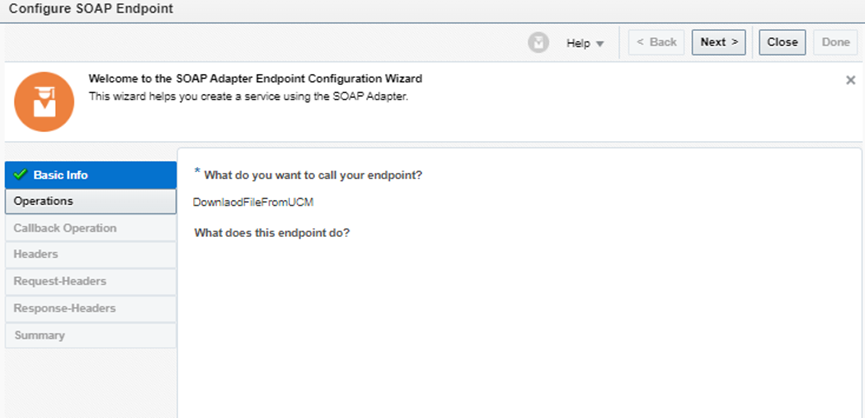
Fig 13: GenericSOAPService For Download data
A generic SOPA service request will require the data below to invoke the download file
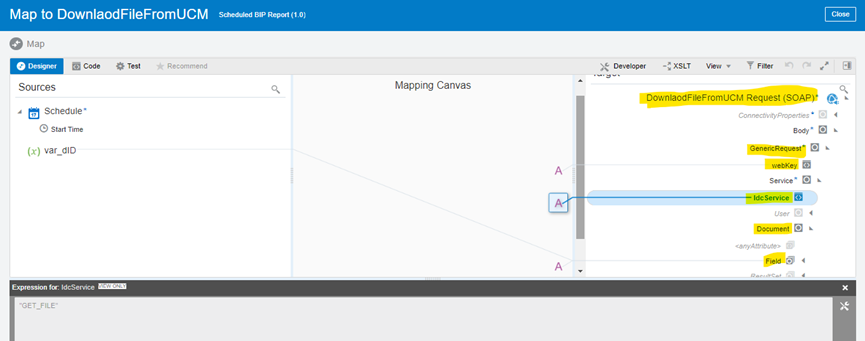
Fig 14 GenericSOAPService For Download data Mapper
- webKey = ‘cs’
- IdcService =’Get_File’
- Document -> dID
Conclusion
Scheduling BIP Reports and placing data onto a Content Server from OIC helps organizations automate reporting processes, reduce manual effort, and ensure timely access to critical business information. By leveraging Oracle Integration Cloud, businesses can build scalable, secure, and efficient integrations that enhance data management, improve operational productivity, and support informed decision-making across the enterprise.
Streamline Report Automation and Content Management with OIC
Looking to automate BI Publisher report scheduling and securely place report outputs onto a content server using Oracle Integration Cloud (OIC)? By integrating Oracle applications with OIC, organizations can eliminate manual report handling, improve data accessibility, and ensure timely delivery of critical business information. Automated report scheduling and content management not only enhance operational efficiency but also support better governance, accuracy, and business continuity.
At Kovaion, our experienced Oracle ERP consultants help organisations design and implement scalable integration solutions that connect Oracle applications, automate reporting processes, and streamline enterprise data management. From Oracle Integration Cloud implementations to end-to-end Oracle ERP solutions, we enable businesses to optimise workflows, reduce manual effort, and accelerate digital transformation through secure and efficient integrations.