PeopleSoft Global Search – Step Wise Configuration

Configuration of PeopleSoft Global Search against Elasticsearch server
PeopleSoft Search allows end-users to submit search data against the Elasticsearch server.
The PeopleSoft Search interfaces depend on:
- The Search Framework is completely configured.
- The PeopleSoft search definitions and categories deployed to the Elasticsearch instance.
- The search indexes are populated.
Global search is one of the features of PeopleSoft Search which allows end-users to search data globally without navigating to the respective component/page. It fetches the data from Elasticsearch server and populates to the users.
End-users can perform a global search using the global search bar which is available in the portal header throughout the session.
Fig 1: Global Search Bar
Global search consists of:
- Specific search group
- Free text search edit box
Global search can be implemented with data source as a query manager or connected query with sets of rules while creating a search query.
- Create PS Query:
Navigation: Reporting Tools > Query > Query Manager
- Create PS query with sets of rules for search framework:
- List of filed to be displayed.
- “Last updated” record field.
- Drilling URL
- Prompt against “Last updated” field.
- Criteria for “Last updated” field should be “not less than”.
- Click on Add expression, expression type as Drilling URL and then select component URL.
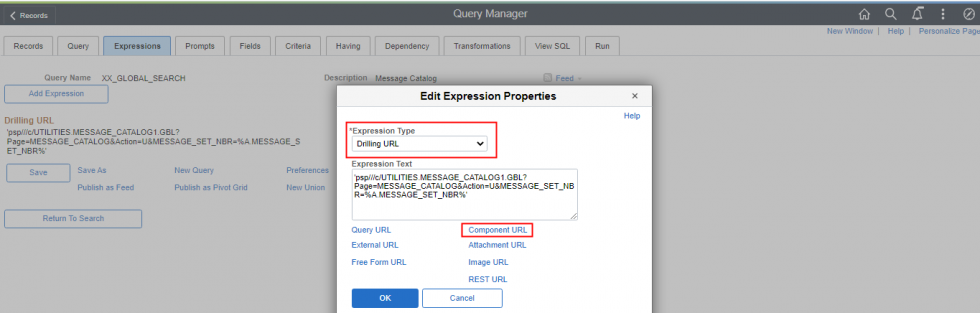
Fig 2: Expression Screen
- Update Last updated field with not less than condition and prompt against it.
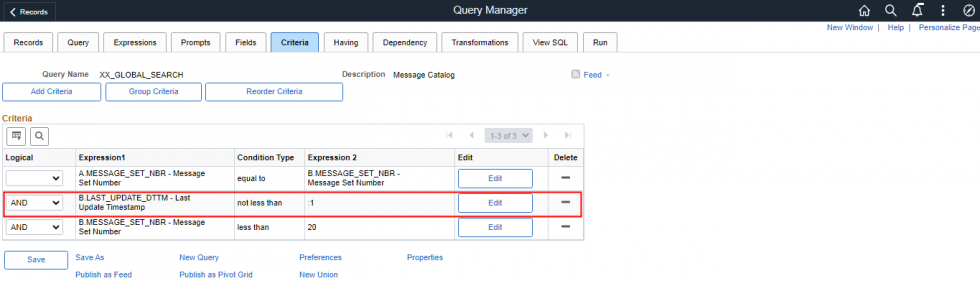
Fig 3: Criteria Screen
- Clicking on the Drilling URL will directly take to the page of specified component.
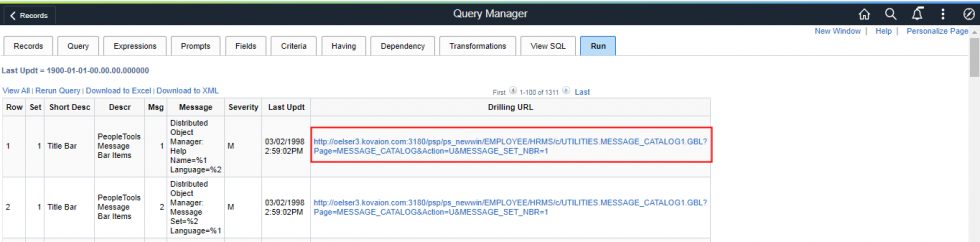
Fig 4: Drilling URL
- Search Definition:
Navigation: PeopleTools > Search Framework > Designer > Search Definitions
Search definition is used to create the structure of the search index when end-users search the data.
- Specify the query name as source name and related information as needed.
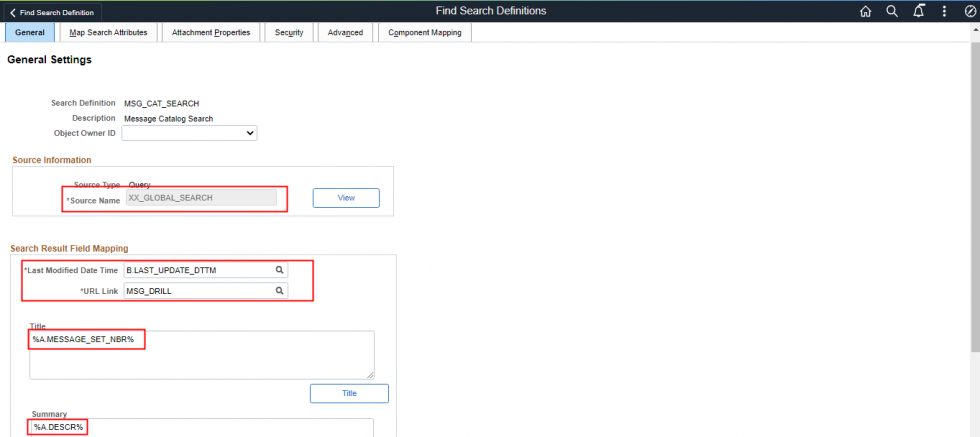
Fig 5: Search Definitions
- Select the fields with which users can search the data under “Field to Index” column.
- “Is Faceted” is used to group the fields of search data.
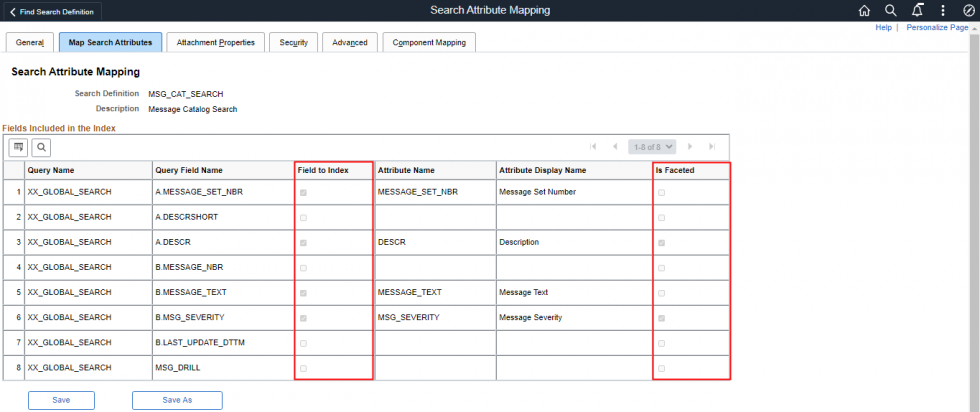
Fig 6: Search Attributes
- Search Category:
Navigation: PeopleTools > Search Framework > Designer > Search Category
Search category is used to group the search definition into logical group of data. Search queries work on search category not on definition.
- Search category name should be same as search definition.
- Give meaningful description which will display in search group.
- Select search group check box to display search category in global search bar.
- Select auto detect fields under advanced search fields page and auto detect facets under facets page.
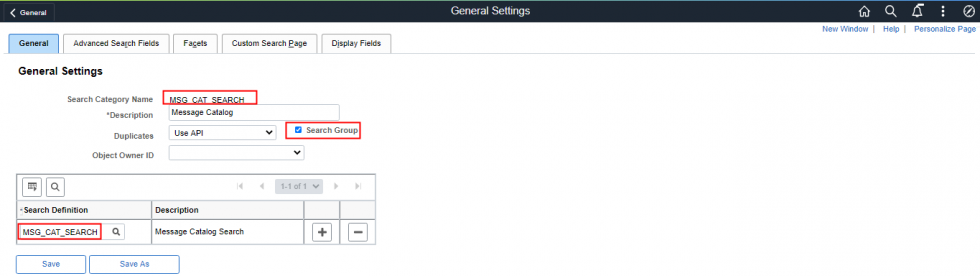
Fig 7: Search Category
- Define Search Context
Navigation: PeopleTools > Search Framework > Administration > Define Search Context
Define search context is used to include the search category which should display on homepage global search bar.
Select context type as homepage and add the search category.
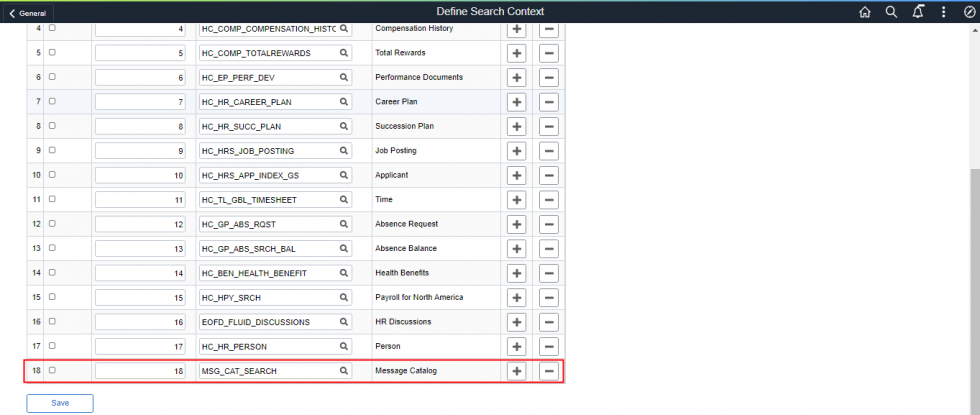
Fig 8: Search Content
- Deploy Search Definition
Navigation: PeopleTools > Search Framework > Administration > Deploy/Delete Object
The search definition needs to be deployed on the SES search engine where it becomes the searchable data. PeopleSoft database will be transferring the empty shell of search definition and category to Elasticsearch server.
Select the right search definition which needs to be deployed on SES engine and click on deploy push button.
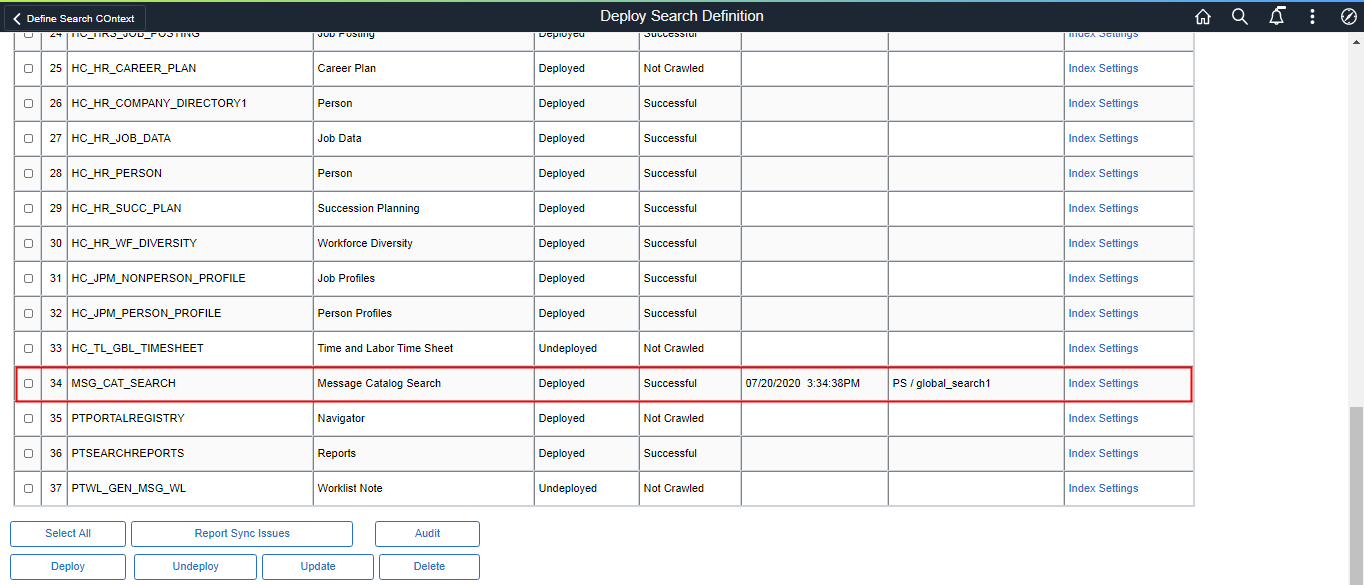
Fig 9: Search Definition Deployment
- Schedule Search Index
Navigation: PeopleTools > Search Framework > Administration > Schedule Search Index
Schedule Search Index is used to transfer data from PeopleSoft database to Elasticsearch server.
Select the search definition and indexing type as full index because we want to transfer the entire data fetched by PSquery initially.
When some data get added in PeopleSoft database after the first run then select indexing types as incremental index to transfer only last updated data to Elasticsearch server.
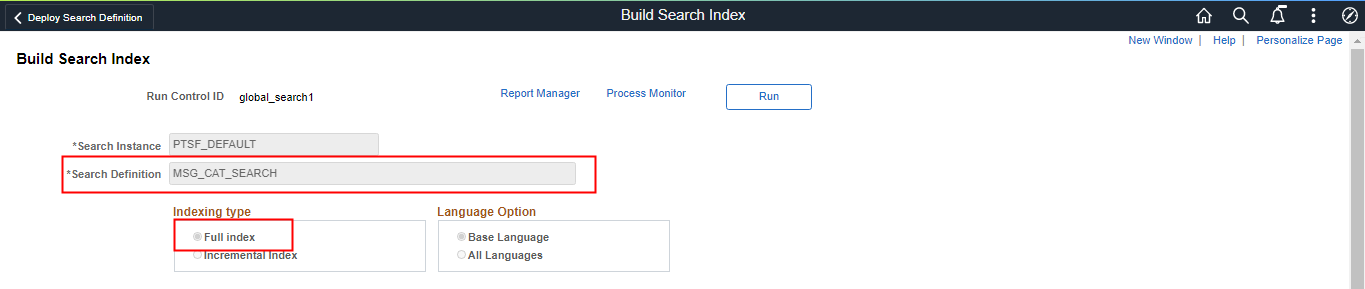
Fig 9: Build Search Index
- Global Search Output
Select the search category which was created and search for the data.
Description and Message Severity are the “IS faceted” under search definition.
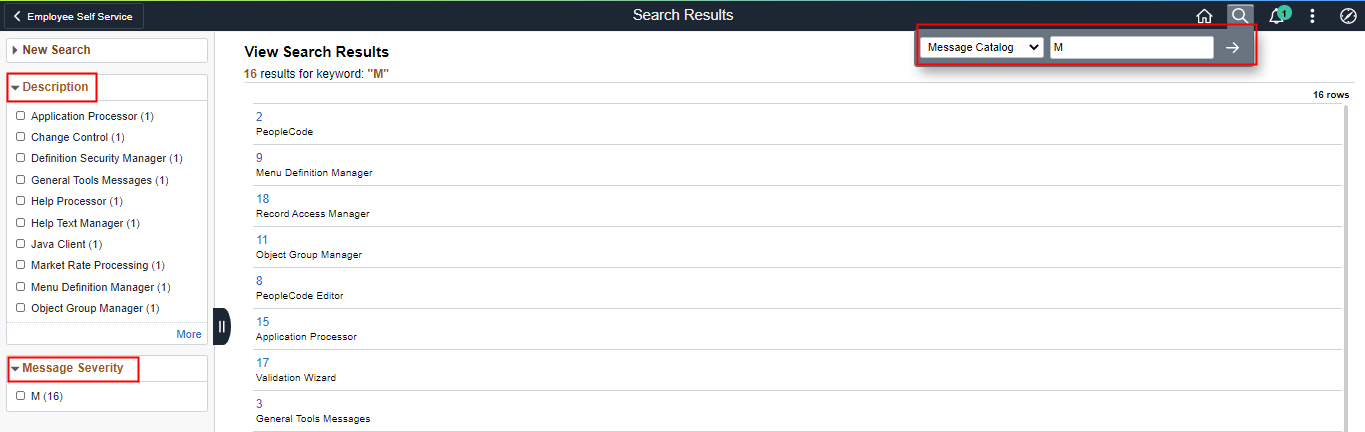
Fig 10: Global Search Screen
Click on message set number and it will take you to the original page.
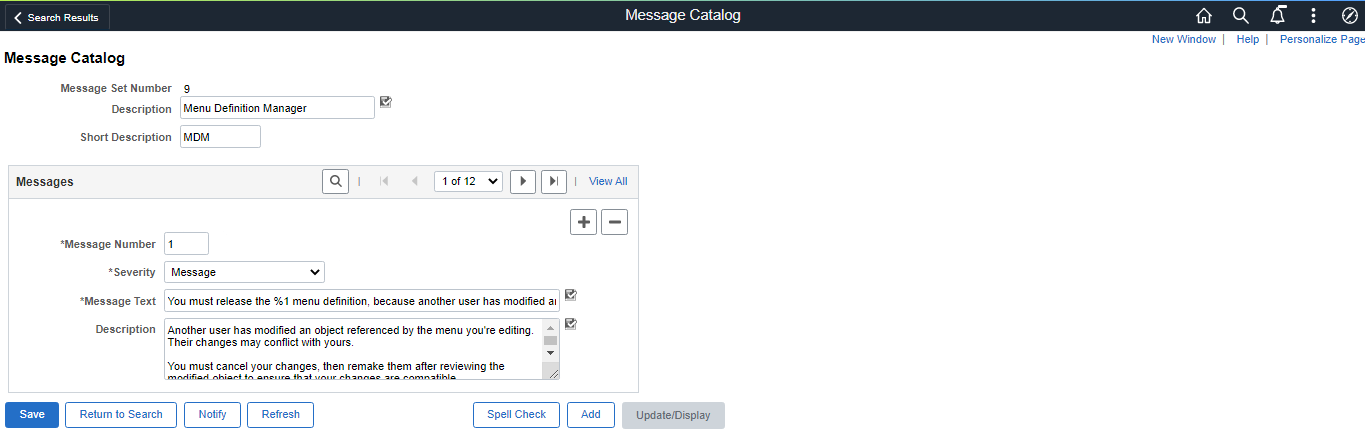
Fig 11: Message Catalog Page
Benefits:
Global Search bar is available in the portal header throughout the session – Access Data from anywhere.
This allows end-users to search data globally without navigating to the respective component/page.
Author
Amrit Kumar Gupta
Associate PeopleSoft Consultant, Kovaion