Design and Implementation of a Personal Information Form in Oracle APEX with Address Auto-Synchronization

What is Oracle Apex?
Oracle APEX enables developers to create browser-based applications without needing extensive front-end or back-end coding. Applications built with APEX run directly on the Oracle Database and use SQL, PL/SQL, and declarative components as their foundation.
Overview
This document provides a formal and comprehensive guide for designing and implementing a Personal Information Form in Oracle Application Express (Oracle APEX). The primary objective of this form is to capture user or employee personal details in a structured, consistent, and user-friendly manner, with a particular emphasis on address management
during onboarding or profile maintenance processes. In enterprise applications, especially HR onboarding systems, users are often required to enter both Permanent Address and Current/Communication Address details. In many cases, these addresses are identical, leading to redundant data entry and an increased risk of user error. To address this challenge, this document explains how to implement a dynamic mechanism that allows address information to be automatically synchronized based on user
input.
The scope of this document includes:
- Creating a form page in Oracle APEX
- Designing address-related regions for clarity and usability
- Configuring page items for Permanent and Communication addresses
- Implementing conditional logic using a radio group selector
- Automatically copying address values using Dynamic Actions
- Clearing and enabling fields based on user selection
Prerequisites
Before proceeding, ensure the following prerequisites are met:
- Access to an Oracle APEX workspace
- Basic understanding of:
- Oracle APEX pages and regions
- Page items and Dynamic Actions
- JavaScript fundamentals
- SQL and PL/SQL Fundamentals
How to create a Personal Information Form Page?
First, we need to create a database table to store the employee data:
Step 1: Log in to Oracle APEX Workspace.
Step 2: Click on SQL Workspace > SQL Commands, write the SQL query to create a table
and click on Run and then Save.
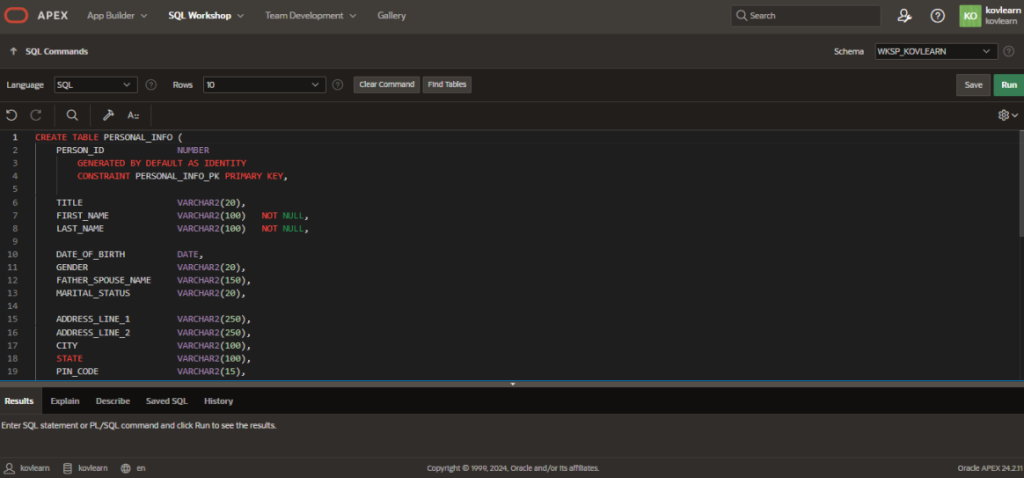
Step 3: To verify the table and required columns, navigate to SQL Workspace -> Object
Browser.
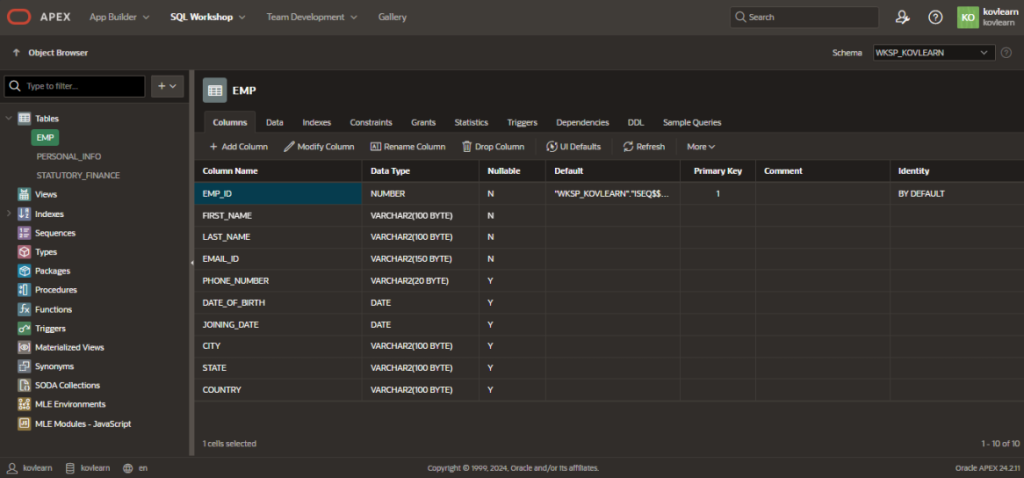
After the table is created, we can go ahead with creating the form page. To create the form page, follow the steps below:
Step 1: Navigate to App Builder and select the target application.
Step 2: Click Create. Give the application name.
Step 3: Select Wizard as the page type.
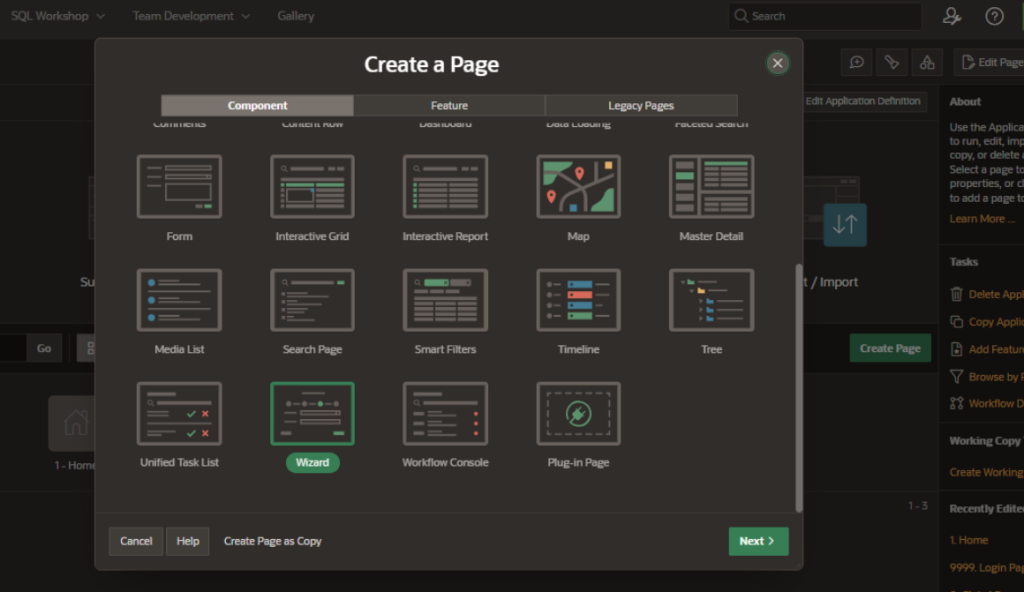
- Fill in the wizard name and other required details.
- Complete the wizard and create the page.
Now, we can start editing the page. The page layout will look like the following:
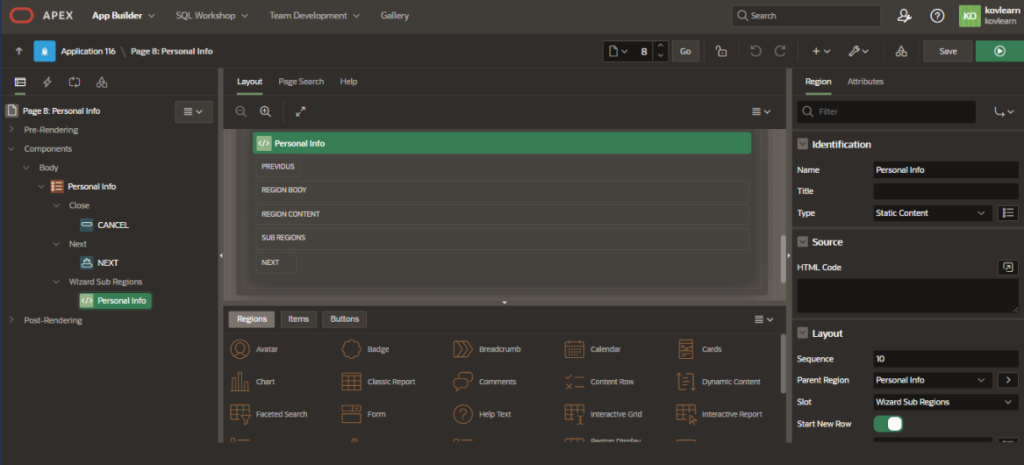
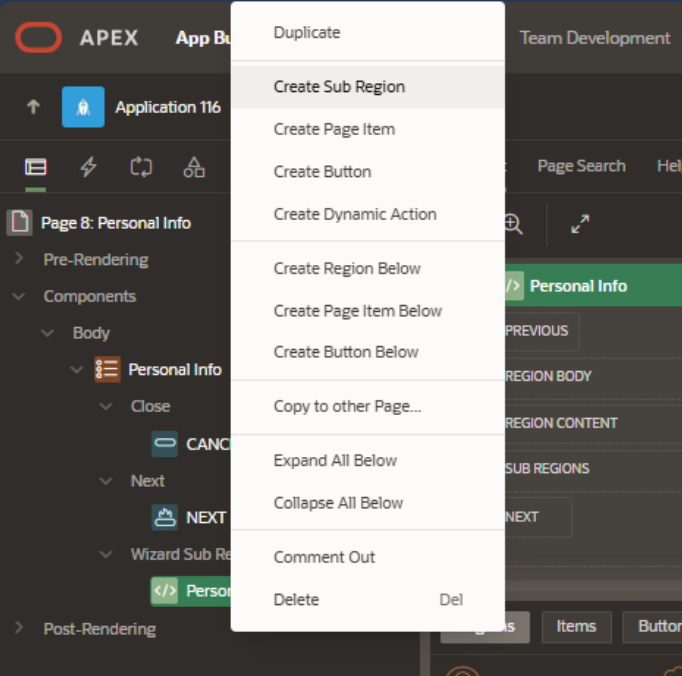
Step 1: Click on wizard sub-region > Personal info. Click on Create Sub Region to create the form.
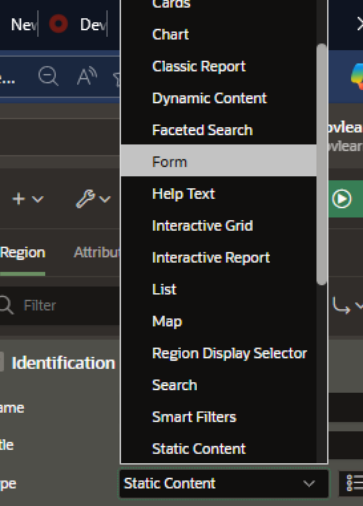
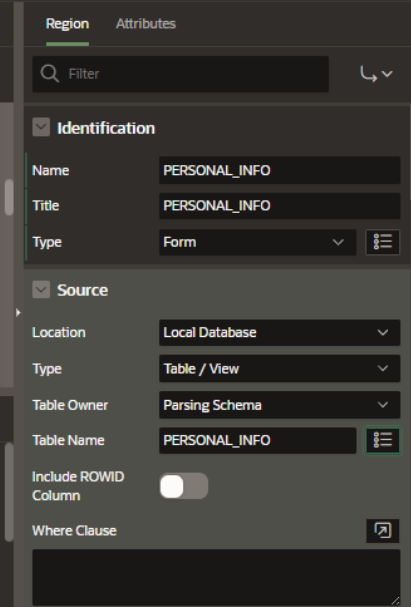
Step 2: To create the form, we will be using the database table that we have created previously. We will keep the fields that are required and comment out/delete the rest. On the right-side panel, Identification > Type > Form, to create From.
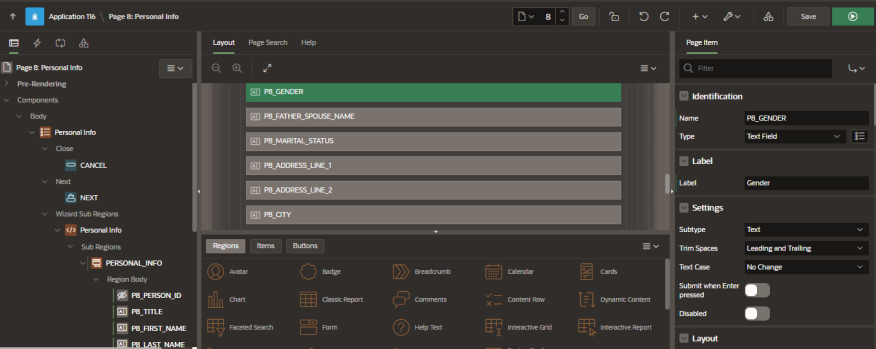
Step 3: Click Save > Run. The layout will look like the below.
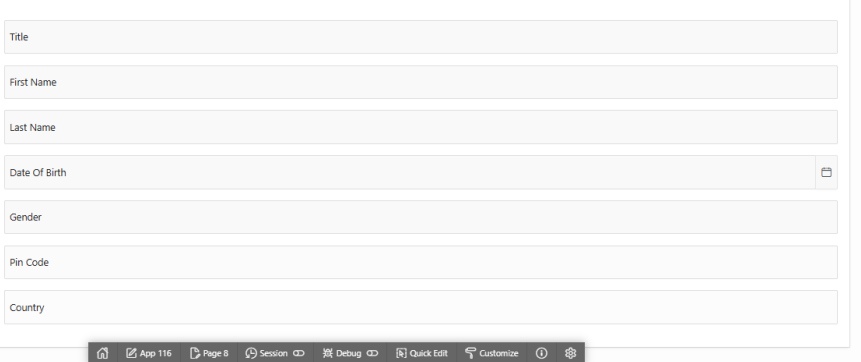
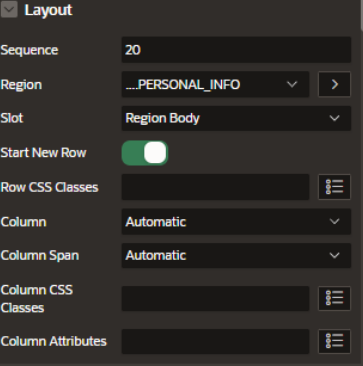
To have a dynamic grid view, on the right-side panel disable the Start New Row:
How to Implement Address Auto-Synchronization?
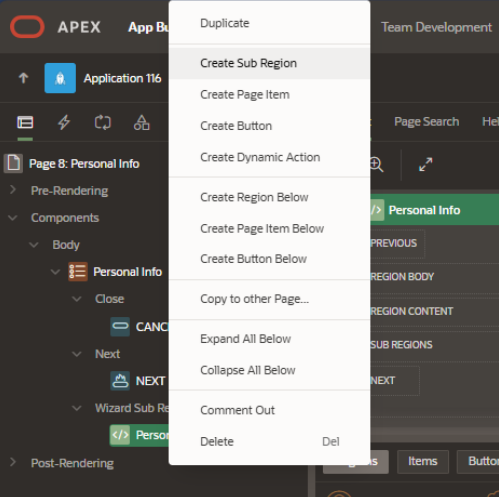
Step 1: Right-click on wizard sub-region > Personal info. A dialog box will open, choose
The Create Page Item.
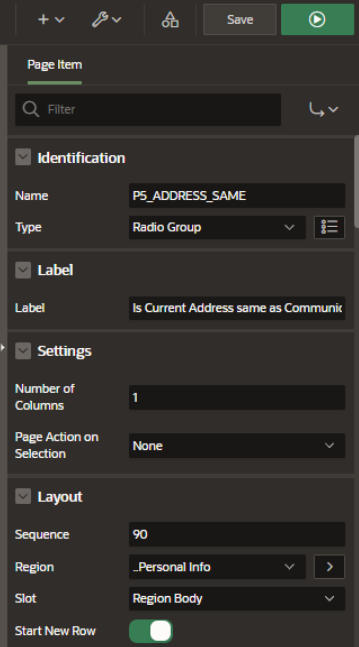
Step 2: Fill in the Name, Type, and Label.
Step 3: Create a dynamic action. Create a Dynamic Action on item P_ADDR_SAME:
- Event: Change
- Selection Type: Item(s)
- Item(s): P_ADDR_SAME
Step 4: Under TRUE action, create action items and use PL/SQL for data synchronization.
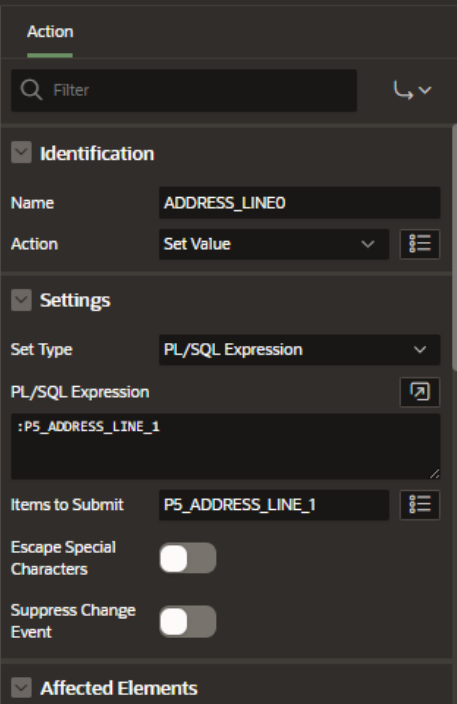
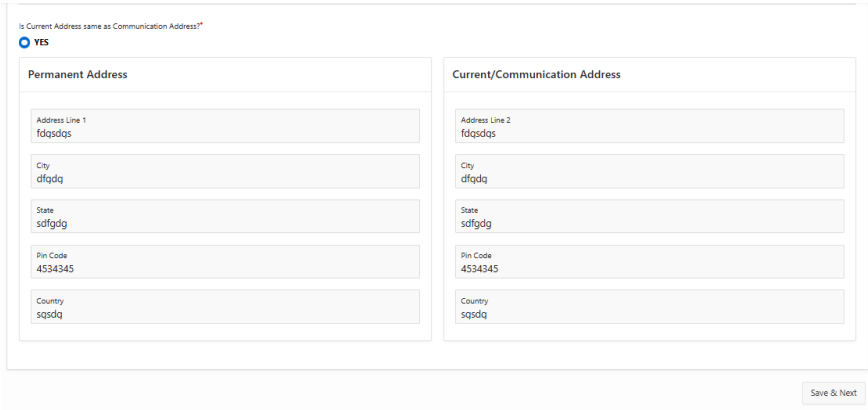
Repeat the same for all required columns. Then Save > Run. After applying the changes:
Conclusion
The implementation described establishes a structured and maintainable approach to capturing personal and address-related information within Oracle APEX applications. By leveraging declarative components in combination with client-side Dynamic Actions, the solution ensures efficient data handling while maintaining a clean and intuitive user interface. The address auto-synchronization logic significantly reduces redundant user input, minimizes the potential for data inconsistencies, and improves overall form of usability. At the same time, the design preserves flexibility by allowing users to provide a distinct address
information when required, without introducing unnecessary complexity in the application flow.
Build Smarter Oracle APEX Applications with Kovaion
Accelerate application development with Kovaion’s Oracle APEX expertise. Create intelligent, user-friendly solutions that automate processes, improve data accuracy, and enhance business productivity.