Oracle Recruiting Cloud Global Templates

Candidate communication plays a critical role in shaping the overall hiring experience. Every email sent during the recruitment process reflects your organization’s professionalism, brand identity, and commitment to candidate engagement. However, maintaining consistent headers, footers, logos, disclaimers, and branding elements across multiple email templates can be time-consuming and prone to inconsistencies.
Oracle Recruiting Cloud addresses this challenge through Global Templates, enabling organizations to centrally manage common email content and automatically apply it across candidate communications. In this blog, we’ll walk through the step-by-step process of configuring common headers and footers using Global Templates in Oracle Recruiting Cloud and explore how this feature helps create a more consistent, efficient, and branded candidate experience.
Common Headers and Footers to All Candidate Emails
Step-by-Step Guide: Setting Up a Global Template
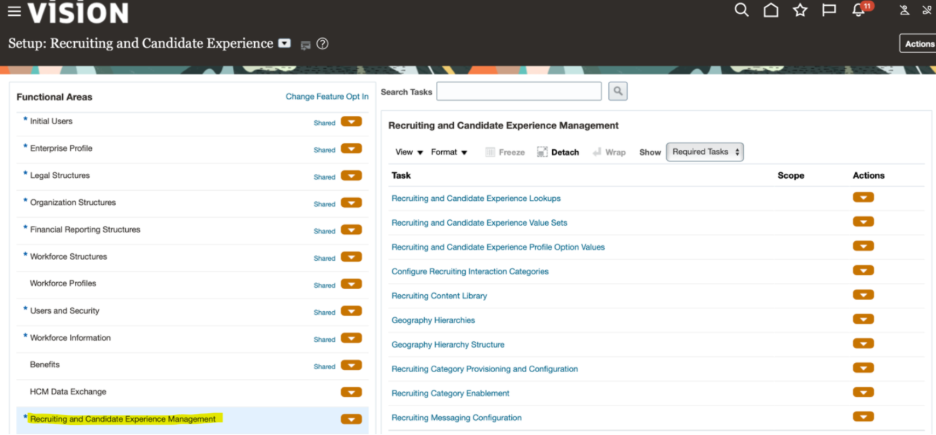
1. Go to the Setup and Maintenance work area
- Offering: Recruiting and Candidate Experience
- Functional Area: Recruiting and Candidate Experience Management
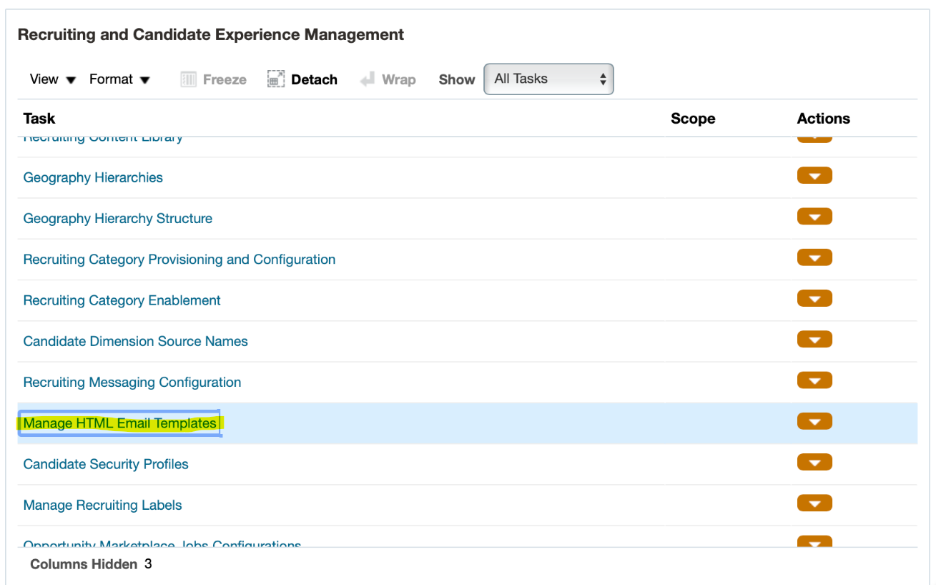
- Task: HTML Email Templates
- Choose All Tasks.

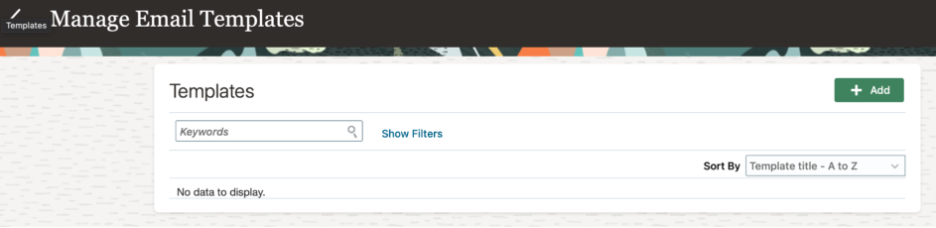
- On the Manage HTML Email Templates page, click Add.
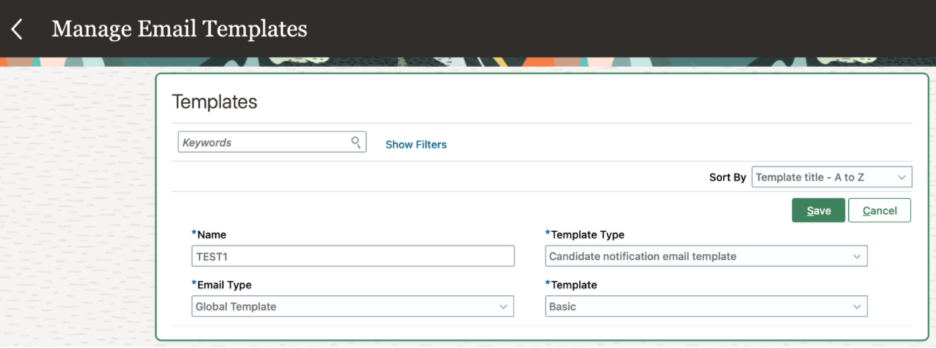
- Enter a name for the template.
- Select a template type:
- Candidate notification email template
- If you select the Candidate notification email template, you need to select an email type:
- Global Template
- Global Template
- Select a template.
- Click Save.
- Once we click on “Save”, HTML Designer will open
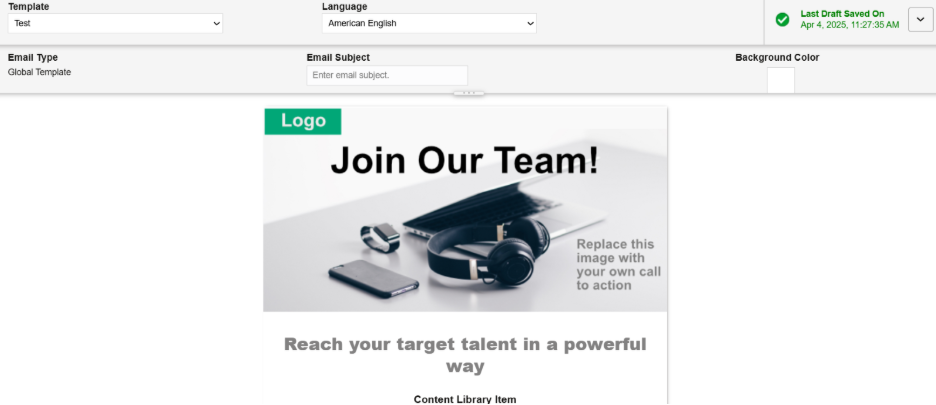
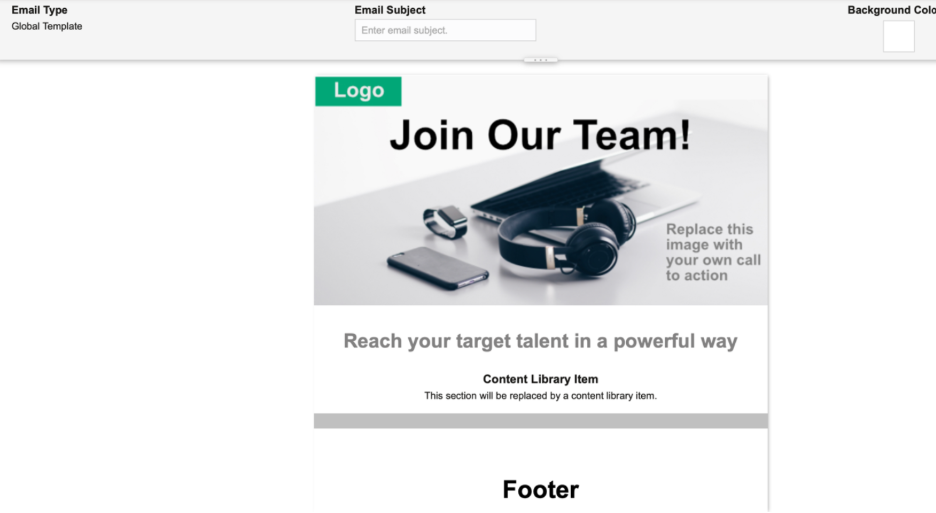
- Modify the content
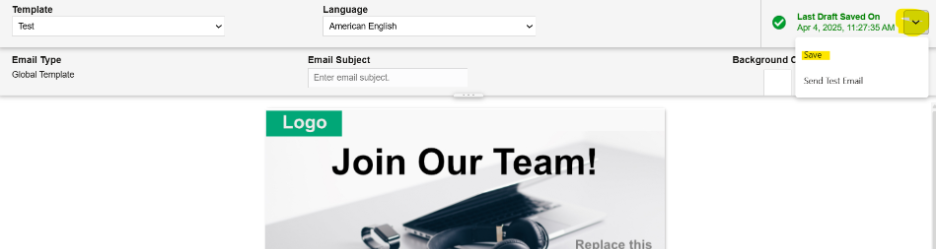
- Click on Action and choose “Save.”
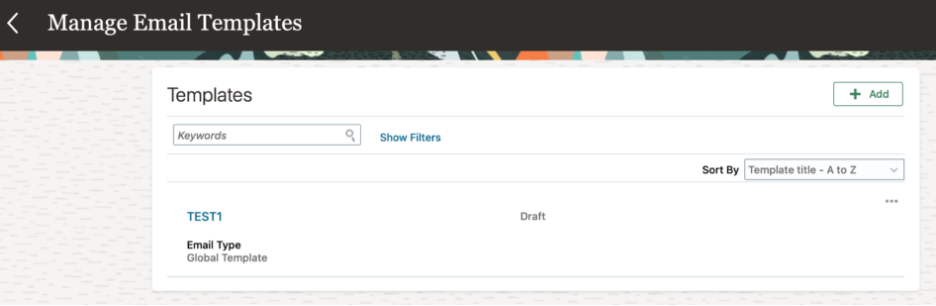
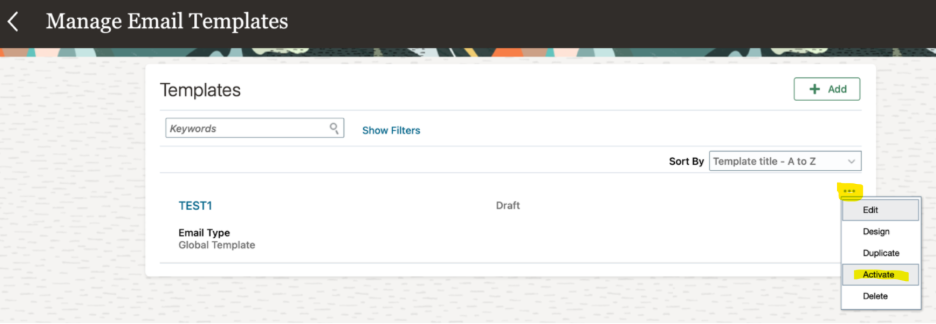
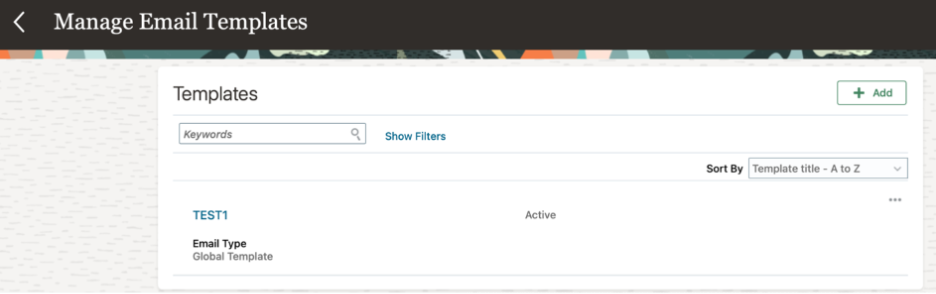
- Click on 3 dots and choose “Activate” to activate the template.
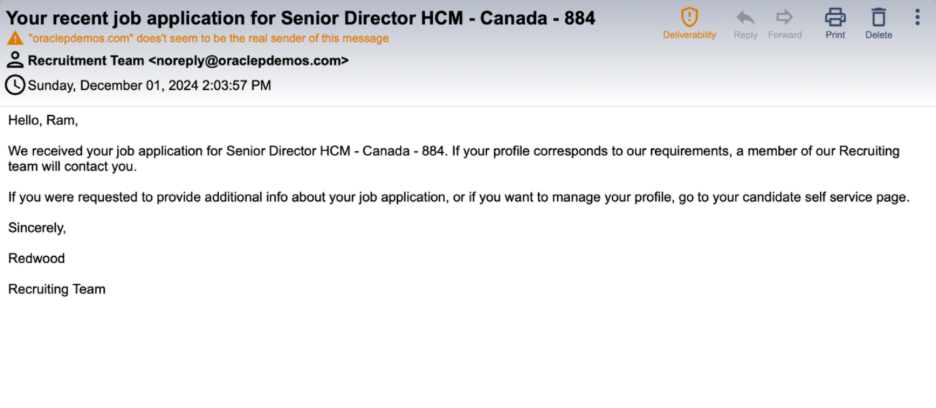
Before Global Templates
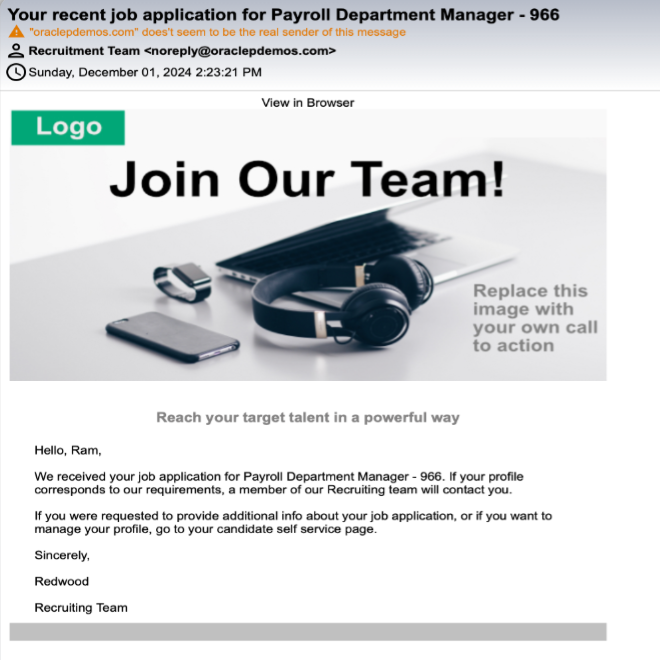
After Global Templates
Business Benefits of Oracle Recruiting Cloud Global Templates
1. Consistent Employer Branding
Ensure every candidate communication reflects your organization’s professional image through standardized headers, footers, logos, and messaging. A consistent brand presence across recruitment emails strengthens employer brand recognition and creates a unified candidate experience.
2. Improved Candidate Experience
Deliver professional, engaging, and personalized communications throughout the hiring process. Consistent messaging helps build trust, enhances candidate perceptions, and leaves a positive impression of your organization.
3. Reduced Administrative Effort
Simplify email management by updating common branding elements and standard content in a single location. Centralized maintenance reduces manual work and minimizes the time spent updating multiple templates.
4. Minimized Errors and Inconsistencies
Ensure critical information such as signatures, legal disclaimers, and branding elements is included in every communication. This helps maintain communication quality while reducing the risk of omissions and formatting inconsistencies.
5. Enhanced Compliance and Governance
Automatically incorporate mandatory legal notices, privacy statements, and company information into all candidate emails. Consistent application of compliance-related content helps organizations meet regulatory requirements and internal governance standards.
6. Faster Template Management
Manage shared email content centrally instead of maintaining multiple individual templates. This approach enables quicker updates, simplifies administration, and ensures all communications remain aligned with current business standards.
7. Increased Recruiter Productivity
Free recruiters from repetitive formatting and content management tasks so they can focus on candidate engagement and strategic hiring activities. Standardized communications improve efficiency and accelerate recruitment workflows.
8. Scalable Communication Framework
Support recruitment growth with a structured and standardized communication model. Organizations can easily maintain consistent messaging across regions, departments, and business units while scaling hiring operations.
9. Stronger Brand Credibility
Consistent and professionally branded communications reinforce organizational credibility and demonstrate attention to detail. This helps build candidate confidence and strengthens the organization’s reputation as an employer of choice.
10. Improved Team Alignment
Ensure all recruiters and hiring teams follow the same communication standards and branding guidelines. Consistent practices across teams help deliver a seamless candidate experience while maintaining organizational messaging integrity.
Conclusion
Managing candidate communications efficiently is essential for delivering a professional, consistent, and engaging hiring experience. By leveraging Global Templates in Oracle Recruiting Cloud, organizations can standardize email headers, footers, branding elements, legal disclaimers, and compliance information across all candidate communications. This centralized approach reduces administrative effort, minimizes errors, and ensures every interaction consistently reflects your organization’s brand identity.
In addition to improving communication quality, Global Templates simplify template maintenance, enhance compliance, and enable recruiters to focus more on candidate engagement rather than managing repetitive email content. By ensuring consistency across all recruitment touchpoints, organisations can strengthen their employer brand, improve candidate perceptions, and create a more seamless recruitment experience. Implementing Global Templates is a simple yet impactful step toward increasing recruiter productivity, maintaining governance standards, and delivering a professional candidate journey at scale.
Looking to optimize your Oracle Recruiting Cloud experience?
Transform your candidate communication strategy with Oracle Recruiting Cloud’s Global Templates. By standardizing headers, footers, and branding elements across all candidate emails, organizations can ensure a consistent, professional experience while reducing administrative effort and maintaining compliance.
At Kovaion, our Oracle Recruiting Cloud specialists help organisations design and optimise recruiting processes that enhance candidate engagement and recruiter productivity. From template configuration and branding alignment to end-to-end Oracle Recruiting Cloud implementation, we help you create a seamless hiring experience that strengthens your employer brand and drives recruitment success.
Ready to standardise your candidate communications and elevate your employer brand? Contact our experts today to discover how Kovaion can help you maximise the value of Oracle Recruiting Cloud and build a more efficient, engaging recruitment process.