Customizing Employee Help Desk UI using Visual Builder Studio
Introduction
Oracle Visual Builder Studio enables organizations to tailor the Employee Help Desk UI to meet specific business and user requirements. These customizations improve usability, simplify support interactions, and enhance the overall employee experience.
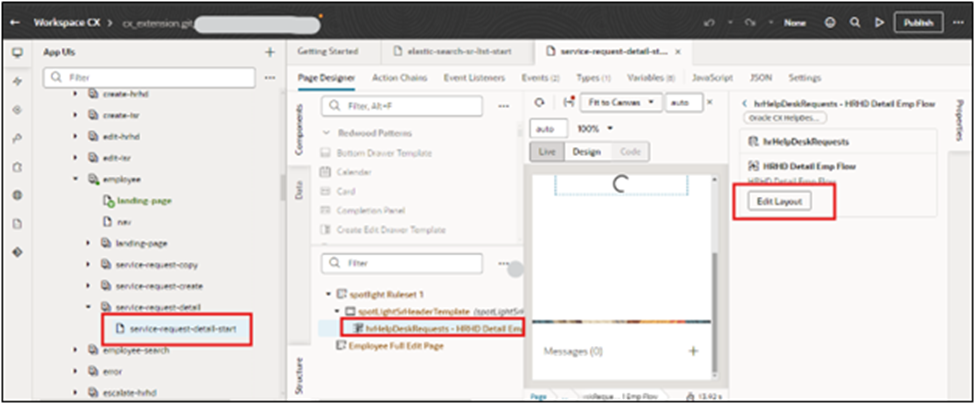
- Log in as an Admin.
- Navigate to Edit Pages in Visual Builder Studio
- Click on ‘Edit Layout’
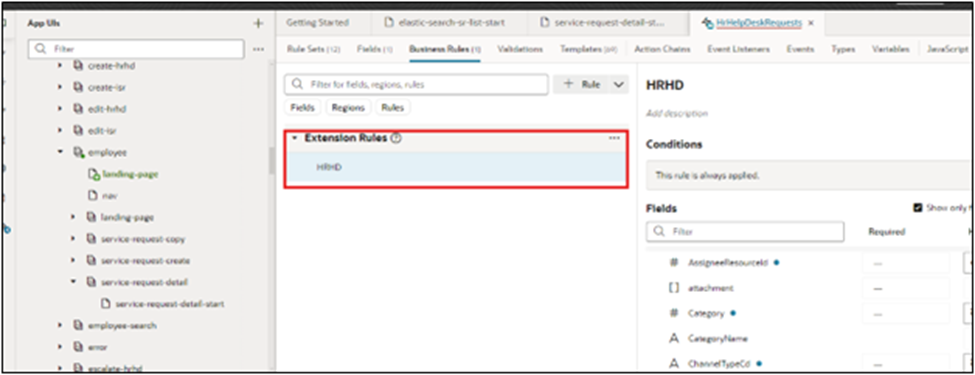
- Click on Business Rule.
- Create a new rule if the page has to be modified.
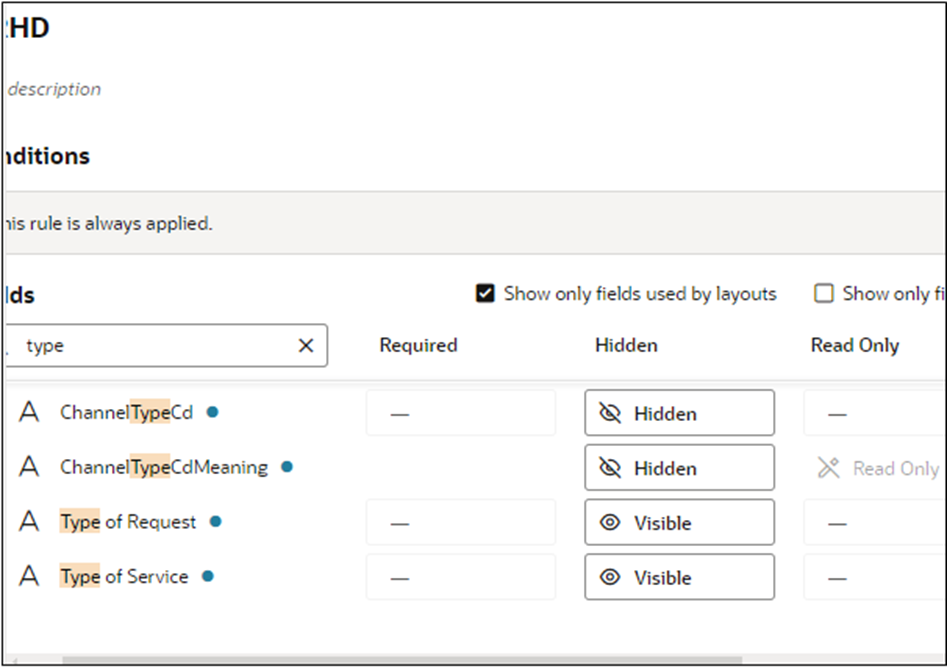
- Under the fields section, make the required fields visible/read-only/hidden/required.
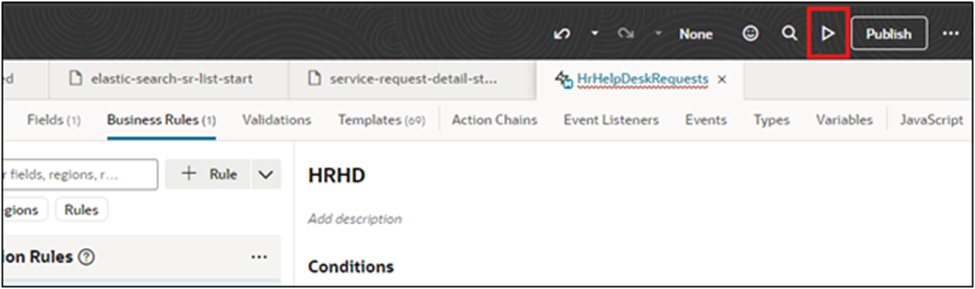
- After making the required changes, click on the preview button.
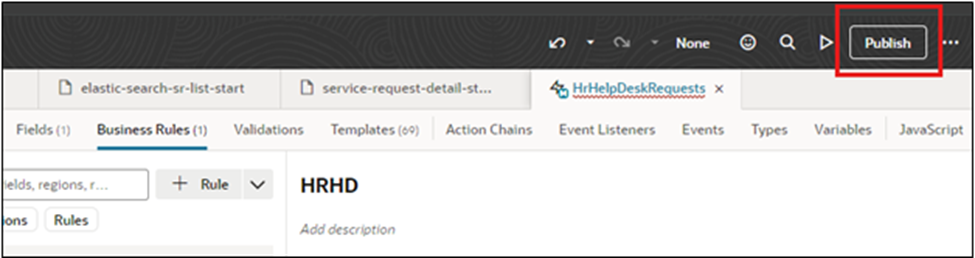
- Once it is good, click on publish
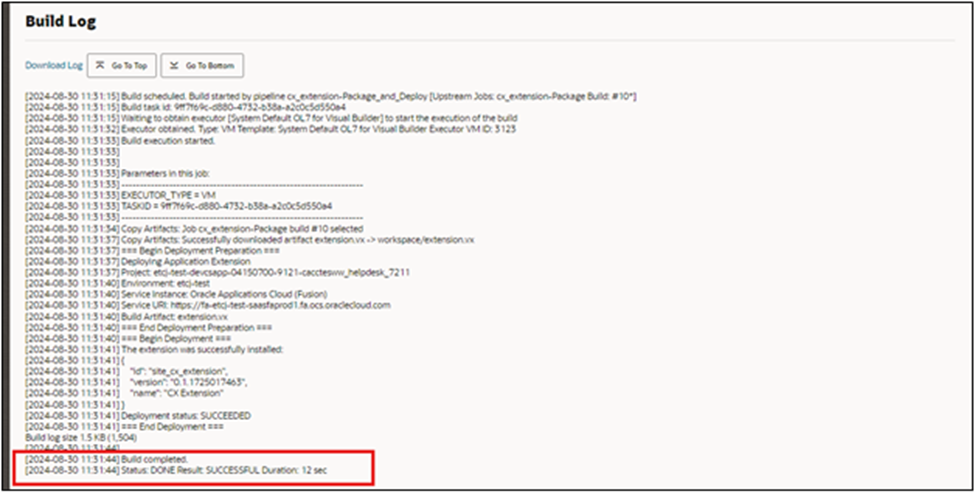
- Upon successful execution, the message will be displayed.
Business Benefits
- Enhanced Employee Experience: A customized Help Desk interface provides a more intuitive and user-friendly experience, enabling employees to find information and resolve issues faster.
- Improved Service Efficiency: Tailored layouts, workflows, and navigation help HR and support teams manage requests more effectively, reducing response and resolution times.
- Increased User Adoption: A personalized UI aligned with organizational processes encourages greater employee engagement and adoption of self-service capabilities.
- Reduced Administrative Effort: Streamlined interfaces and automated processes minimize manual interventions, allowing support teams to focus on higher-value activities.
- Consistent Brand Experience: Customizing the Help Desk UI helps organizations maintain a cohesive digital experience that reflects their brand identity and workplace culture.
- Greater Productivity: Employees and service agents can access relevant information more quickly, leading to faster issue resolution and improved overall productivity.
- Scalable and Future-Ready Solution: Visual Builder Studio enables organizations to adapt and extend their Help Desk experience as business requirements evolve without disrupting core Oracle functionality.
Conclusion
Customizing the Employee Help Desk UI using Visual Builder Studio empowers organizations to create a more intuitive, efficient, and engaging support experience within Oracle HCM. By tailoring the interface to meet specific business requirements, organizations can improve service delivery, enhance employee satisfaction, and increase operational efficiency. With the flexibility of Visual Builder Studio and the expertise of Oracle HCM specialists, businesses can build a modern, scalable Help Desk experience that supports their workforce today and evolves with future needs.
Transform Employee Support Experiences with Oracle HCM Solutions
Looking to create a more intuitive and engaging Employee Help Desk experience? With Oracle Visual Builder Studio, organizations can customize Help Desk interfaces to align with business processes, improve usability, and enhance employee satisfaction. A tailored Help Desk experience enables faster issue resolution, streamlined service delivery, and greater workforce productivity.
At Kovaion, our Oracle HCM consultants help organizations design, customize, and optimize Oracle Help Desk experiences using Visual Builder Studio. From UI enhancements and workflow optimization to end-to-end Oracle HCM implementations, we deliver tailored Oracle HCM solutions that improve employee engagement, increase adoption, and support long-term digital HR transformation.