AI Agent In Oracle Fusion HCM

Introduction:
Oracle Fusion HCM now offers intelligent AI agents that can be embedded into transactions, such as benefits enrollment, to help employees get on-the-spot answers tailored to their needs. Below is a step-by-step guide to creating your first AI Agent and deploying it using Guided Journeys.
Step 1: Enable Required Profile Options
Before setting up AI agents, ensure the following profile options are enabled (set to Y at the site level):
• ORA_HCM_VBCS_PWA_ENABLED – Unlocks the VBCS Progressive Web UI
• ORA_PER_GUIDED_JOURNEYS_SETUP_REDWOOD_ENABLED – Enables setup for Guided Journeys with AI
• ORA_PER_AGENT_TASK_TYPE_GUIDED_JOURNEYS_ENABLED – Turns on agent-supported task types in Guided Journeys
Step 2: Upload Knowledge Sources with Tools
An AI agent derives responses from uploaded documents. Set these up as Tools:
• Navigate to My Client Groups → Show more → Configure HCM Agents.
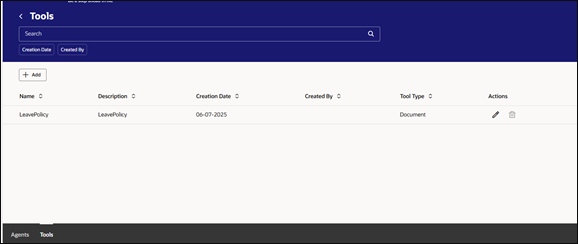
• Select Tools → Add a new tool (e.g., “Absence Policy”)
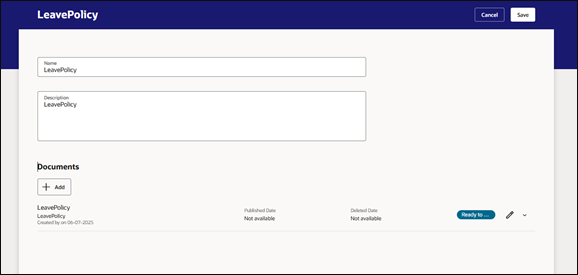
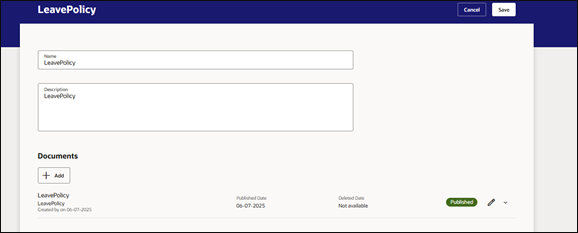
• Within the tool, add one or more Documents—these could be PDFs, policy docs, or legal agreements.
• Set each document’s status to Ready to Publish
Step 3: Ingest Documents via ES
Once docs are uploaded:
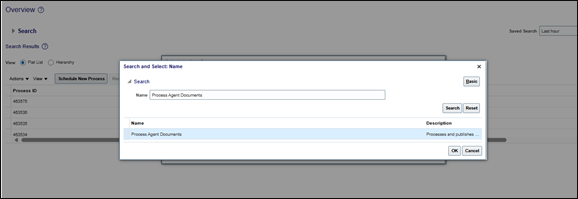
• Go to Scheduled Processes → Schedule New Process
• Select “Process Agent Documents”, then click Submit
• After completion, return to your tool to confirm the docs show Published
Step 4: Create Your AI Agent
Still on the Configure HCM Agents page:
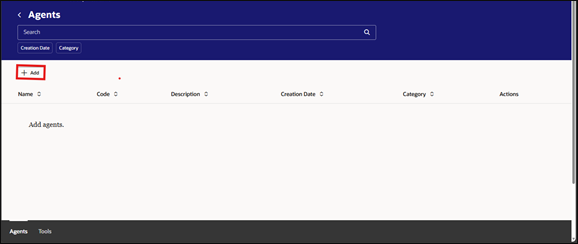
• Click Agents → Add
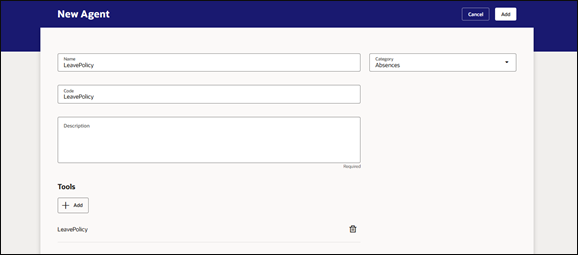
• Give it a Name, Code, Description, and Category
• Attach the previously created tool under Tools, then click Save.
Step 5: Configure a Guided Journey
This embeds the agent in the workflow:
• Go to My Client Groups → Guided Journey → Create
• Input a name (e.g., “Benefits Advisor Bot”) → Create Draft
• Under Tasks, click Add:
◦ Task Type: Agent
◦ Configuration: Select your agent
• Save and then Activate
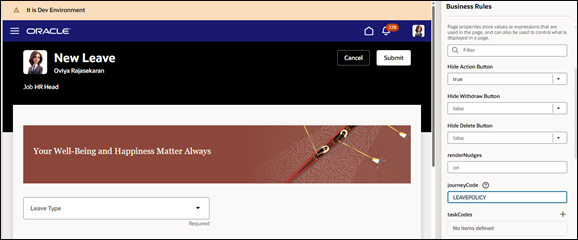
Enable the Guided Journey option in the Visual Builder by selecting the Properties panel on the corresponding responsive page.
Step 6: Use the Agent via Chat
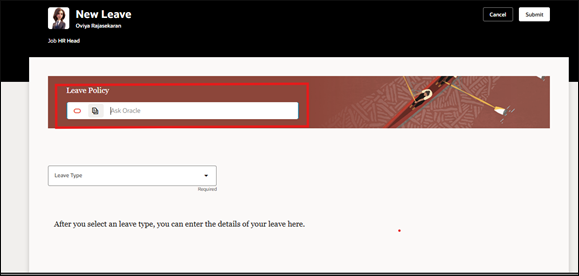
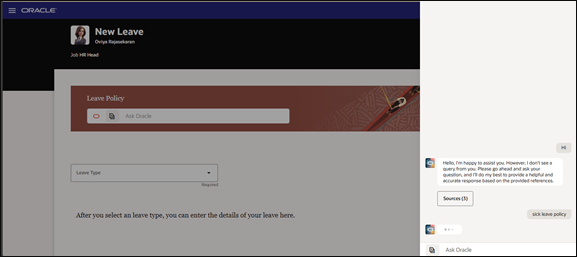
Once live, users can access the agent in the context of guided pages and transaction flows like the Absence page. The chat interface:
• Retains context for follow-up questions
Benefits of AI Agents in HCM
- Personalized Guidance – Employees receive tailored HR advice instantly
- Efficiency – Reduces the workload on HR teams during high-demand periods like open enrollment
- Accuracy – Provides answers directly from up-to-date, documented policies
- Context-Aware – Maintains conversational flow and context for follow-up questions
Conclusion
Oracle Fusion HCM’s AI Agent feature brings intelligent, document-backed assistance into HR workflows, allowing employees to interact with a chat-based bot for instant answers on topics like benefits, payroll, and policies. By uploading relevant documents, configuring tools, and embedding the agent into Guided Journeys, HR teams can streamline support, reduce manual intervention, and enhance the employee experience with contextual, accurate, and always-available guidance.
Unlock the Power of AI Agents in Oracle Fusion HCM
Accelerate HR transformation with Kovaion’s Oracle Fusion HCM expertise. From AI-powered automation and employee self-service enhancements to Redwood adoption and process optimization, we help organizations leverage Oracle’s latest innovations to improve efficiency, engagement, and workforce productivity.