Absence Management Vacation Rules in Oracle HCM Cloud
Vacation policies play a crucial role in helping organisations manage employee time-off requests while ensuring business continuity. In Absence Management, vacation rules in Oracle HCM Cloud can be configured to automate leave eligibility, accruals, carryover limits, approvals, and validations, providing a consistent and efficient experience for both employees and HR teams.
When will we Create Vacation Rules?
When a manager or any Approver applies for a long period of leave (e.g., Maternity Leave), he/she can delegate or reassign all the tasks to a specific employee.
How to Create Vacation Rules:
Navigation Click on the Bell icon > Show all > Worklist
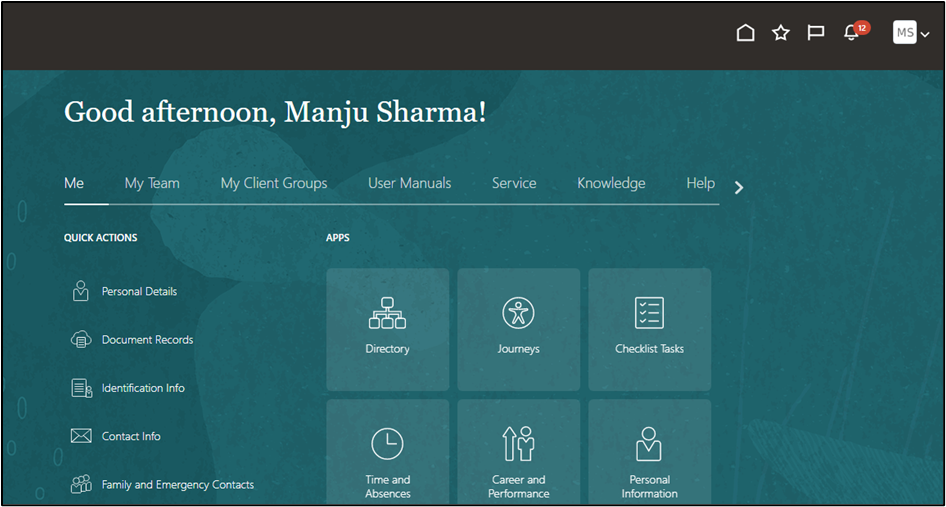
Fig 1
Click on User name > Preferences
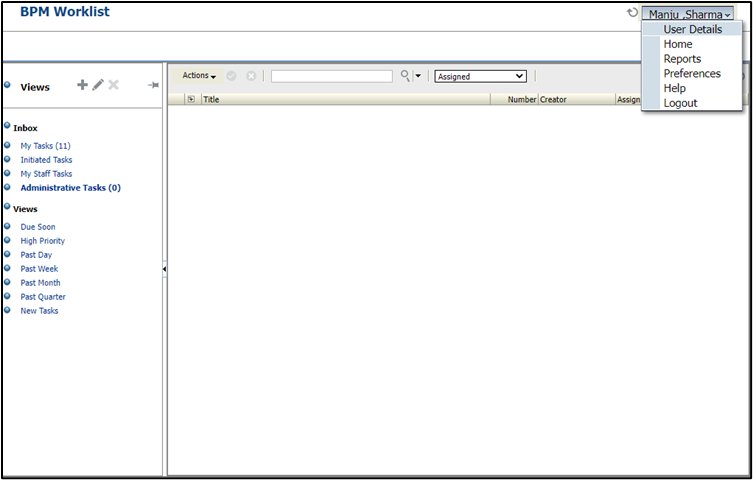
Fig 2
Click on My Rules > click on Enable Vacation Period and give the vacation start and end date.
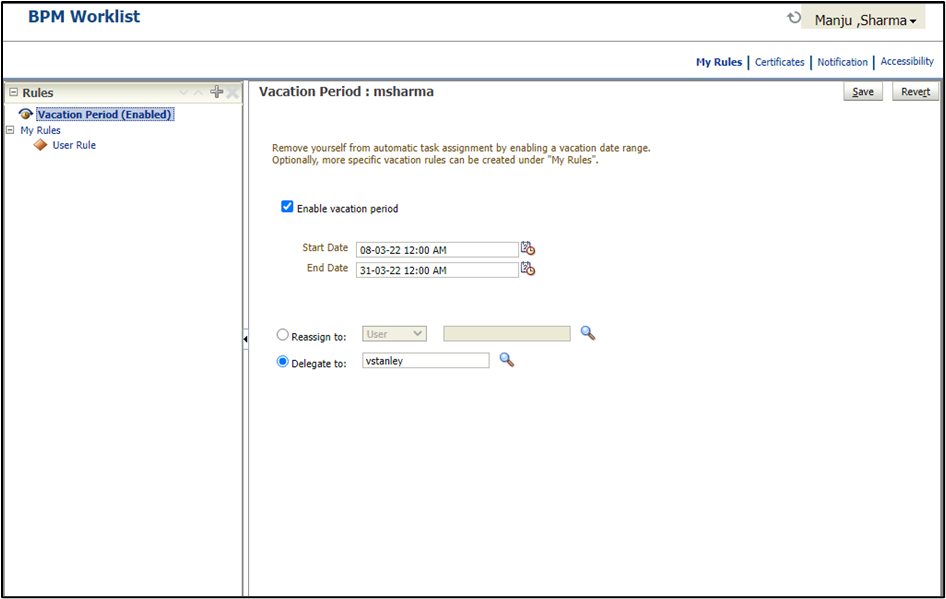
Fig 3
Click on My Rules > Click on the + icon > Give Rule Name > Click Use as Vacation Rule > Start and End Date will appear
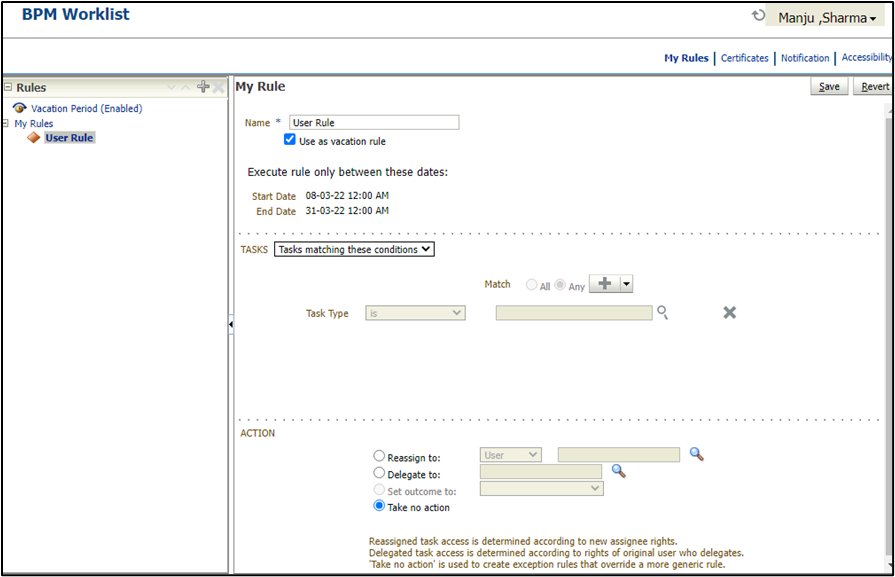
Fig 4
In Task Section > Click on the + Icon (Here you can give conditions based on Tasks, users, or Time). In this example, we showcase based on the task search, for the required task.
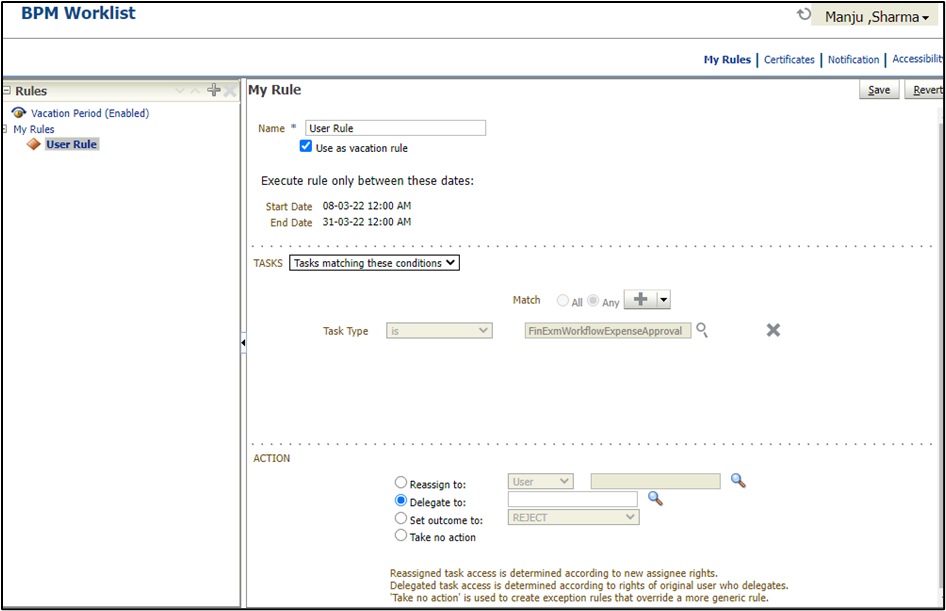
Fig 5
In Action’s Section, you can perform Reassign, Delegate, Set Outcome, Take no action
- Reassign > It will be newly assigned to the approval rule
- Delegate > It will just replace the existing user with the Delegated User and follow the existing user approval flow
- Search for the required user for Reassigning and delegating, and save the Rule
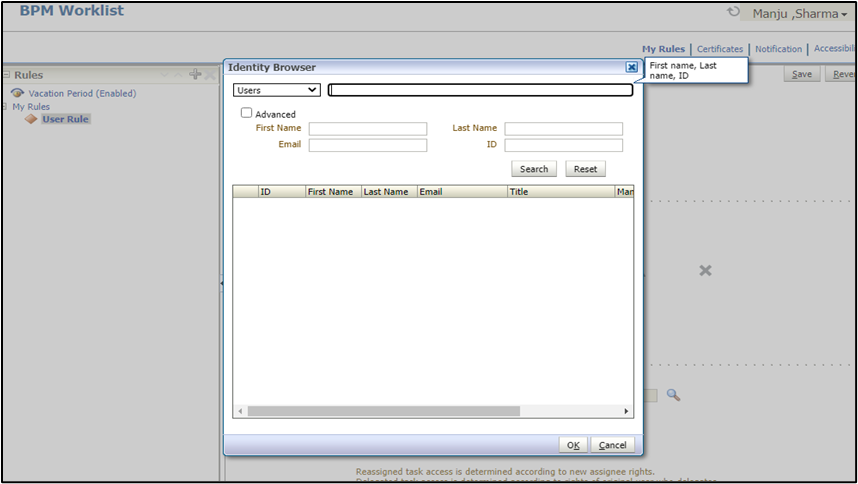
Fig 6
To Fetch the Report for the Vacation Rules
Step 1: In the Setup and Maintenance work area, search for and click the Manage Workflow Rules in Spreadsheet task.
Step 2: Click on the Submit Vacation Rules Report link to open the window to enter the report parameters
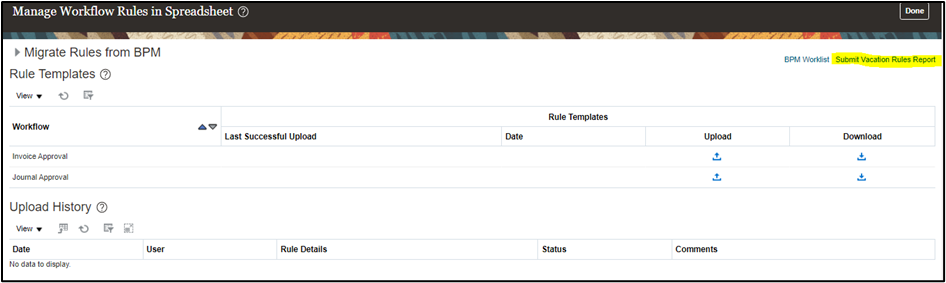
Fig 7
Step 3: Give the Required Parameters such as Employee Name, BU, Legal Entity, Start date, and End Date
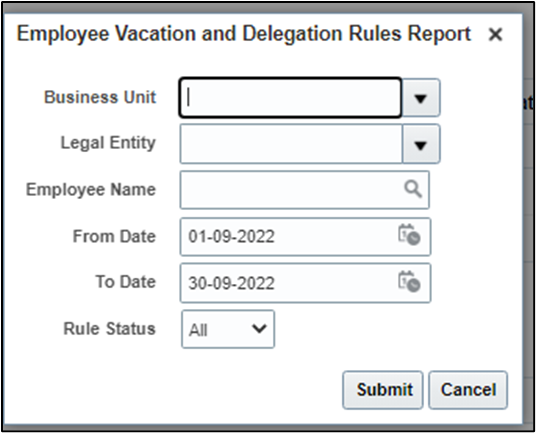
Fig 8
Step 4: Click Submit.
Step 5: The submitter receives a confirmation bell notification when the report is generated and ready for download

Fig 9
Once you click on the bell, the Notification Report will be downloaded in Excel Format
The report was divided into Three Sections
- Originator Employee Details
- Rule Details
- Destination Employee Details
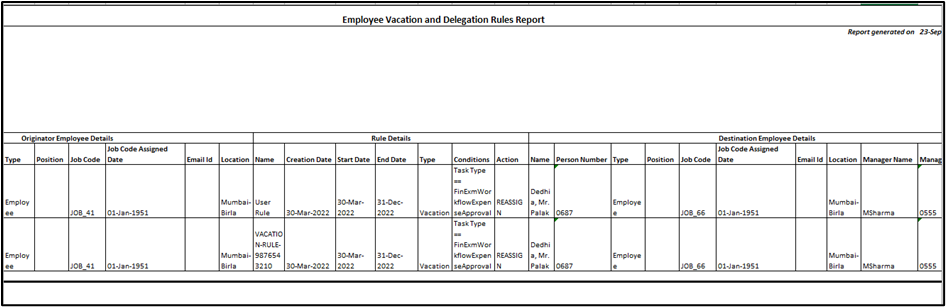
Fig 10
Business Benefits:
- Employees need not wait for his/her manager to approve pending approvals
- Fetching the report is also very easy.
Conclusion
Oracle HCM Cloud Absence Management offers flexible vacation rule configurations that help organizations streamline leave administration and maintain policy compliance. By effectively setting up vacation rules, businesses can improve workforce planning, reduce manual effort, and provide employees with a seamless leave management experience.
Streamline Leave Policies with Oracle HCM Experts
Effective leave management requires more than just policy configuration—it demands accuracy, compliance, and a seamless employee experience. Kovaion helps organizations optimize Oracle HCM Cloud Absence Management by designing and implementing vacation accrual plans, carryover rules, eligibility criteria, and automated leave processes that align with business requirements
Our Oracle Cloud HCM solution experts ensure your leave policies are scalable, compliant, and easy to manage, helping HR teams reduce administrative effort while improving workforce satisfaction and operational efficiency.