Handling Talent Evaluation in Global transfer with Oracle HCM Cloud

Handling Talent Evaluation in Global transfer with Oracle HCM Cloud
Oracle HCM Cloud offers a new functionality which has been introduced in 20B update, in which we can move the performance documents to workers’ new assignment while performing local and global transfer. Moving performance documents to the workers’ new assignment means that worker need not switch between assignments to see all of their performance goals and documents.
Prerequisite:
- Privileges required to Edit, View and Publish the sandboxes as follows: FND_ADMINISTER_SANDBOX_PRIV.
- To Perform Local and Global Transfer a Worker should have HR Specialist role and this privilege ORA_PER_TRANSFER_WORKER_LOCAL_GLOBAL.
Business Benefits:
- Workers don’t need to switch between assignments to view their performance documents.
- Simplified user access
- Seamless transfer of documents
- Improve productivity and engagement with Employee
Key Features:
- If the Global Transfer is submitted and the employee is having any Goal plans pending approval for particular review period then Performance Goals and Documents won’t get transfer to new assignment.
- If no new line manager is selected, Performance Goals and Documents will not transfer to another manager.
Configuration Steps to Enable the Performance documents in Global transfer:
- Step 1: Create a sandbox and select HCM Experience Design Studio and enter the sandbox.
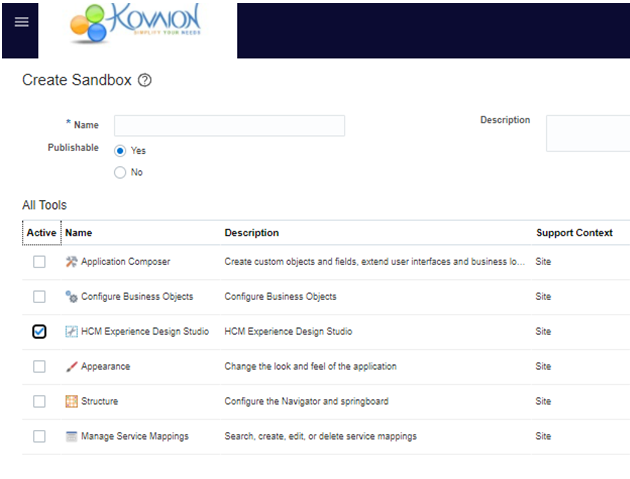
Fig: 1
- Step 2: We have to create a rule in HCM Design Studio for the action Local and Global Transfer to display Performance Goals and Documents section. Select Local and Global Transfer.
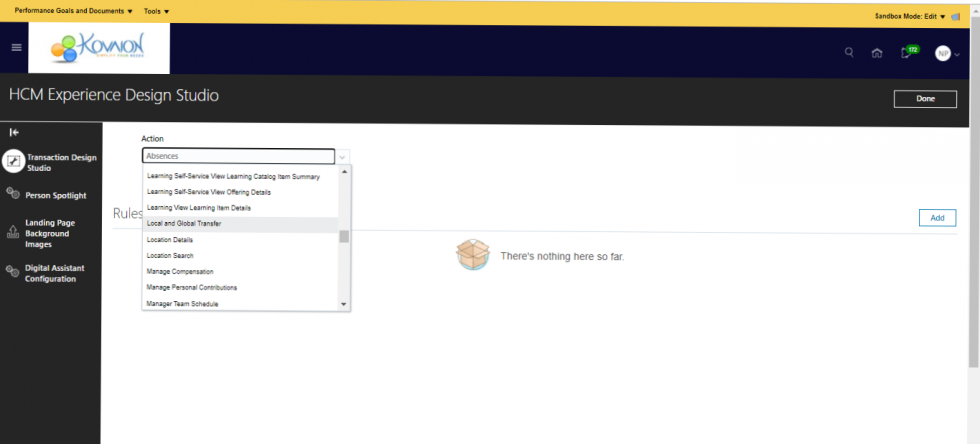
Fig: 2
- Step 3: Create a new rule.
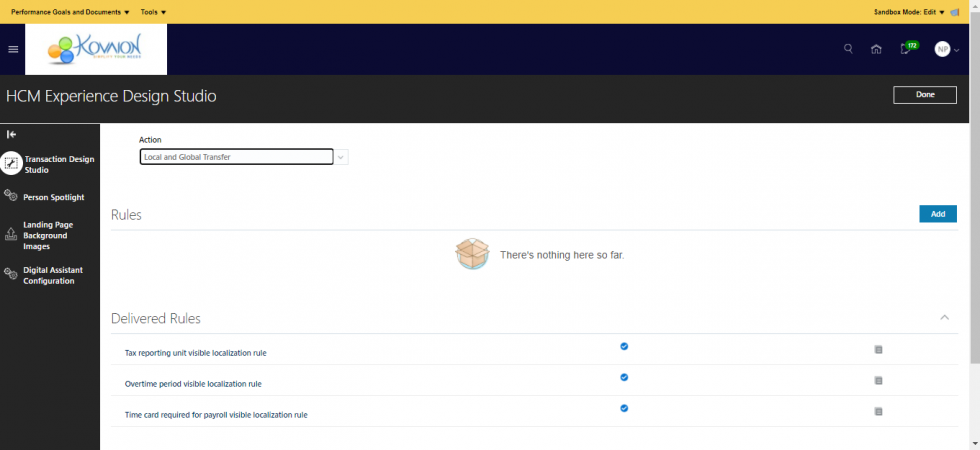
Fig: 3
- Step 4: Fill the required fields as per the requirements.
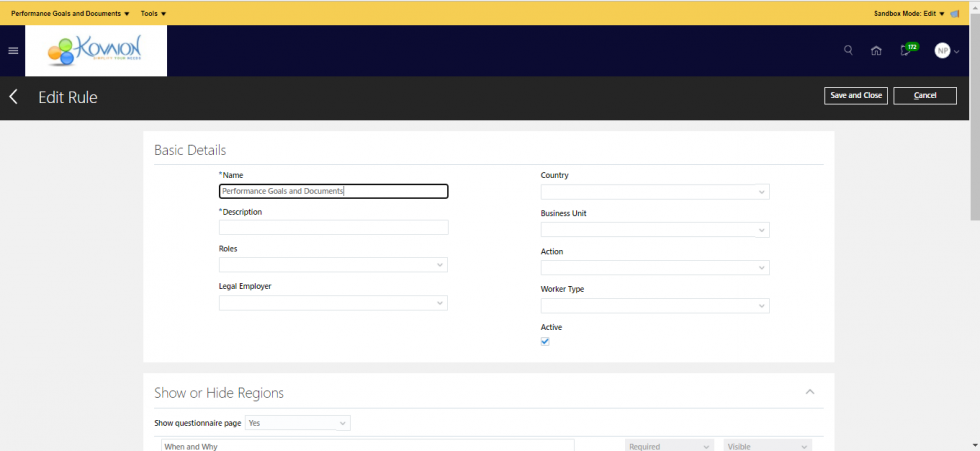
Fig: 4
- Step 5: Change it to Visible in Performance Goals and Documents.
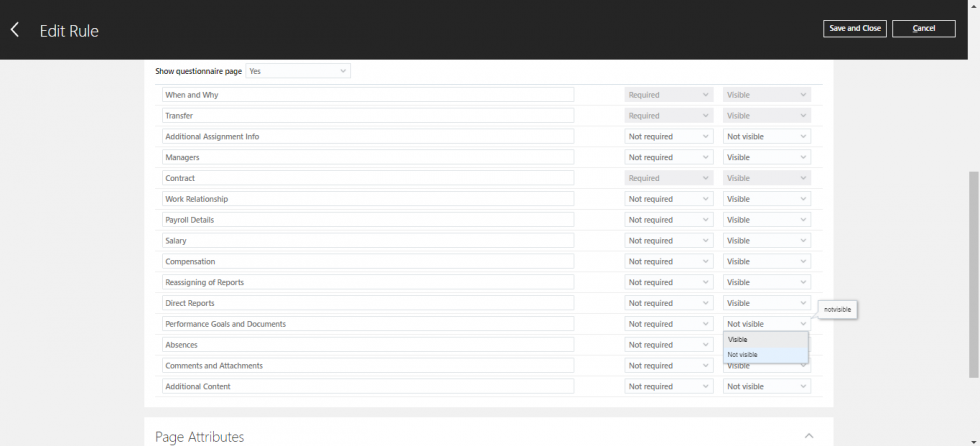
Fig: 5
- Step 6: In Page Attributes select Performance Goals and Documents and do the changes required. Here we change it to Visible so that we can select Transfer current performance documents for which I am the manager to the new manager. Save and close and publish the sandbox.
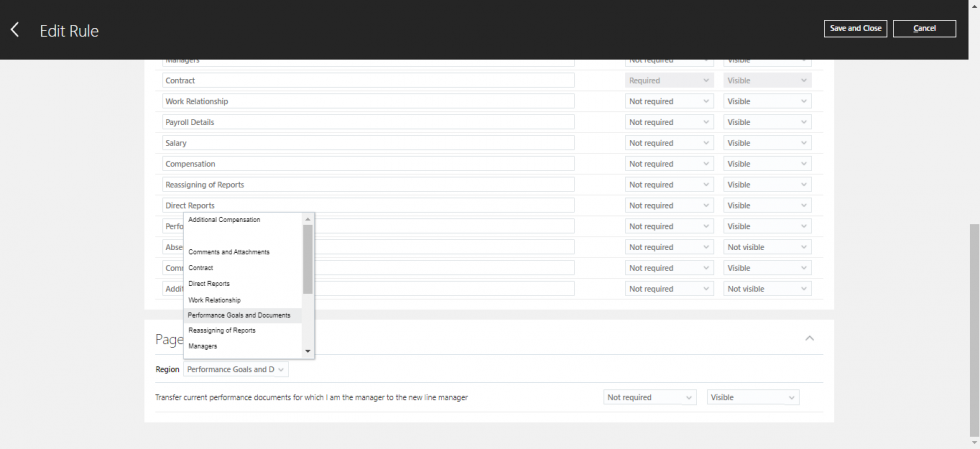
Fig: 6
Process Flow to Transfer the performance documents while Global transfer:
- Step 7: To Perform Local and Global Transfer a Worker should have HR Specialist role and this privilege ORA_PER_TRANSFER_WORKER_LOCAL_GLOBAL.
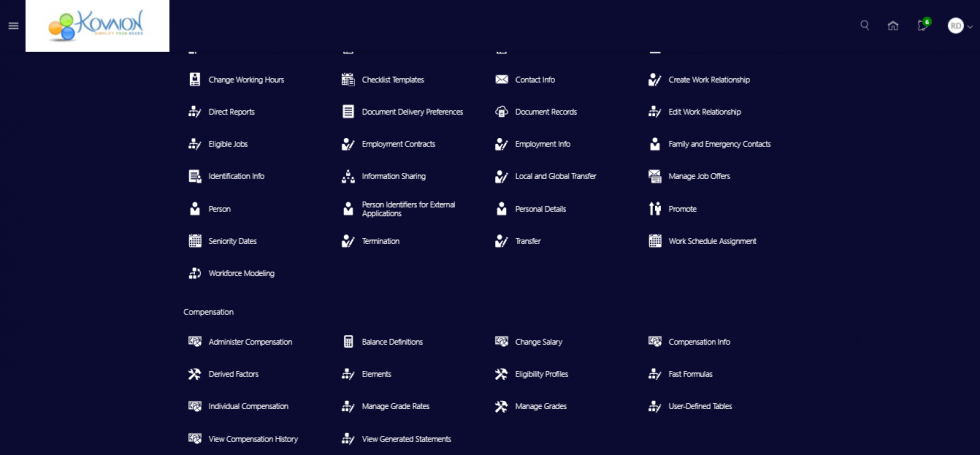
Fig: 7
- Step 8: After clicking on Local and Global Transfer will directed to this page. Search and select the employee and it will direct to another page refer Fig: 9.
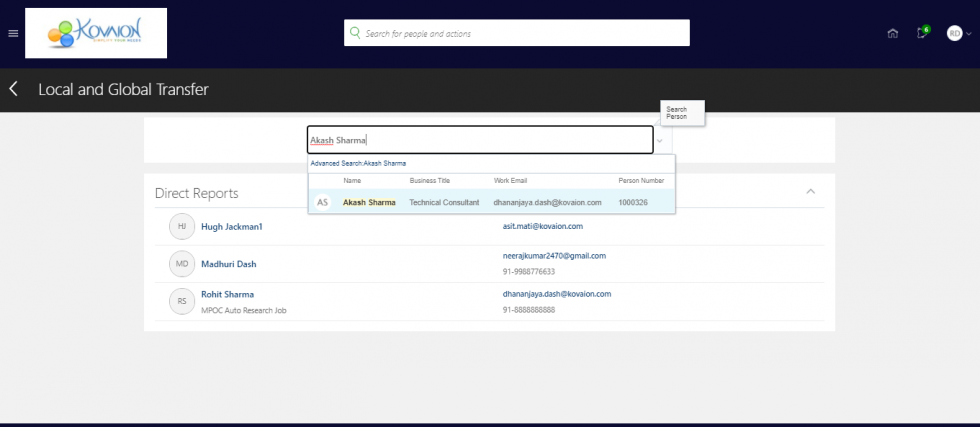
Fig: 8
- Step 9: Select and manage.
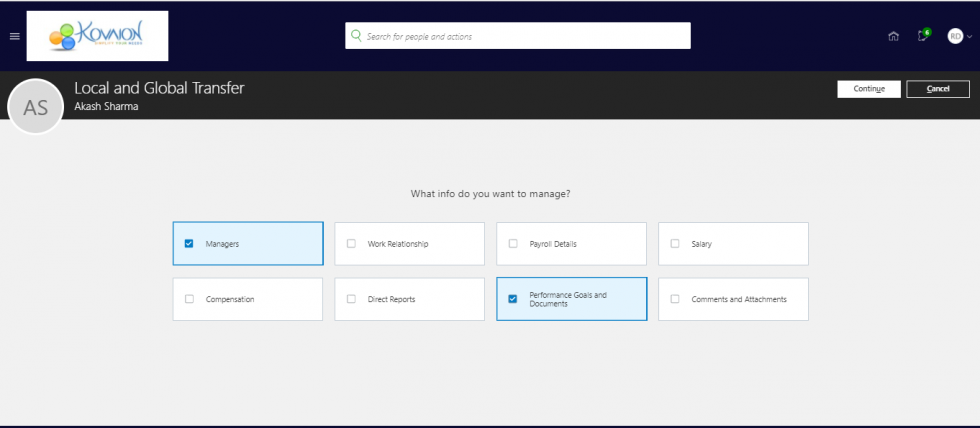
Fig: 9
- Step 10: Refer Fig: 9 after selecting checkboxes click continue and it will get trigger to another page where HR Specialist will be filling all the required fields.
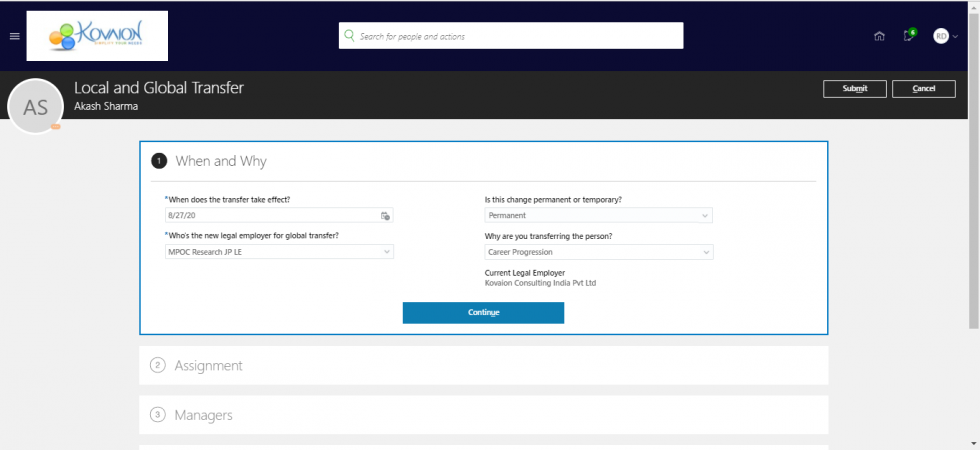
Fig: 10
- Step 11: As soon as you select Permanent, is this change permanent or temporary?refer Fig: 10. You will notice Performance Goals and Documents below Managers.
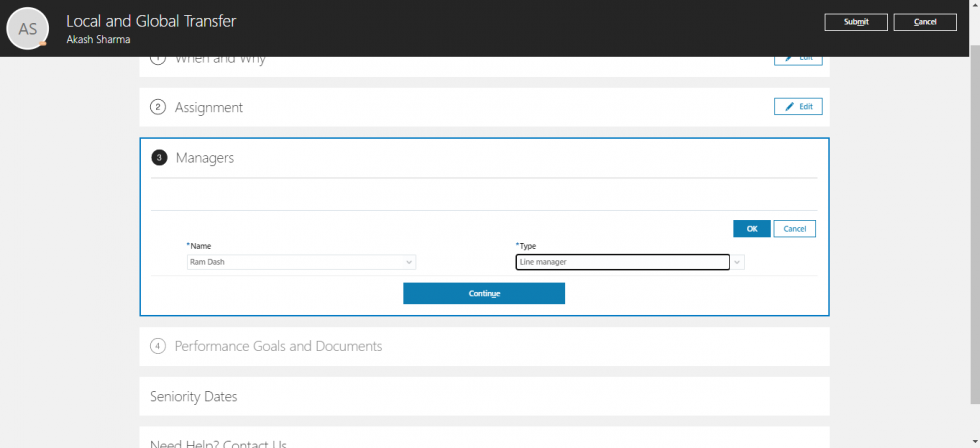
Fig: 11
- Step 12: Select the Specific Review Period which you want to transfer to employee’s new assignment.
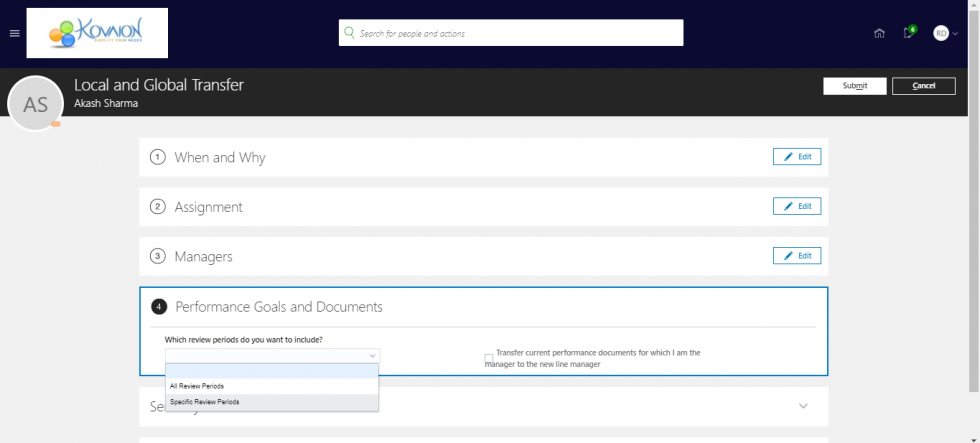
Fig: 12
- Step 13: Select Review Period and select Transfer current performance documents for which I am the manager to the new manager and Submit it. So that it will transfer to employees new assignment and to the new manager as well.
Refer Fig:6.
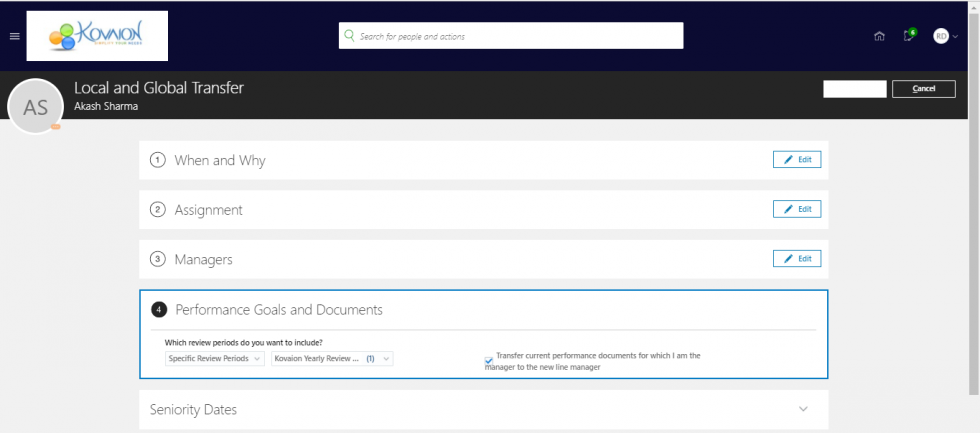
Fig: 13
So, this is how we can move performance goals and documents while performing local and global transfer in Oracle HCM Cloud.
Author
Dhananjaya Dash
Oracle HCM Cloud Team